💎 PureVPN Complete Guide: Features, Setup, Pricing, and Is It the Right VPN for Your Family?
1. Introduction 🌐
In the contemporary digital landscape, internet connectivity is the central nervous system of the modern household. From the moment a family wakes up, data is continuously transmitted across their home network. Parents log into remote corporate networks to work, children use tablets for educational platforms and entertainment, and smart home appliances—ranging from internet-connected televisions to smart thermostats—silently communicate with external servers.
While this high level of connectivity offers unprecedented convenience, it simultaneously introduces profound vulnerabilities. Online privacy and cybersecurity are no longer concerns reserved exclusively for technology professionals or large corporations; they are fundamental necessities for everyday families attempting to navigate an internet fraught with hidden tracking mechanisms, data harvesting practices, and malicious cyber threats. Every device connected to a home network leaves a distinct digital footprint, primarily identified by an Internet Protocol (IP) address. Without specialized protection, internet service providers (ISPs), advertising networks, and potential cybercriminals can easily monitor this footprint to track browsing habits, intercept sensitive communications, and compile exhaustive profiles of a family’s digital life.
This risk is exponentially magnified when family members connect to unsecured public Wi-Fi networks at schools, coffee shops, or airports, where predatory actors frequently deploy interception techniques to steal unencrypted personal information. To mitigate these risks, cybersecurity experts universally recommend the deployment of a Virtual Private Network (VPN). A VPN is a sophisticated software tool designed to route a user’s internet connection through an encrypted, impenetrable digital tunnel, simultaneously masking their real IP address and shielding their data from unauthorized observation.
Among the crowded marketplace of consumer-grade cybersecurity tools, PureVPN has emerged as a prominent and long-established contender. Recognized for its expansive global network infrastructure, highly competitive pricing, and a user interface tailored for non-technical users, PureVPN positions itself as an accessible solution for families seeking to elevate their digital security. However, selecting the correct VPN requires careful consideration of a provider’s technological infrastructure, historical track record, and feature limitations. This comprehensive research guide provides an exhaustive, objective analysis of PureVPN, exploring the service’s foundational features, detailing the installation process, evaluating its pricing models, and determining whether it stands as the optimal cybersecurity investment to protect your family’s digital footprint.
2. What Is PureVPN? 🤔
To understand the current iteration of PureVPN, it is essential to examine the company’s origins, its corporate evolution, and its primary function as a privacy tool. PureVPN is a commercial virtual private network service founded in 2007 by Uzair Gadit, making it one of the oldest continually operating consumer VPN services in the industry. The platform is owned and operated by GZ Systems Ltd., a software development firm that specializes in creating accessible cybersecurity applications for global audiences.
Initially conceived to provide users with a secure shield against the early generations of online threats using advanced encryption, the service’s mandate has expanded significantly over the past seventeen years. Today, PureVPN is designed to combat a highly complex matrix of modern digital challenges, including invasive online tracking, identity theft, localized internet censorship, and the continuous harvesting of consumer data.
While PureVPN is currently recognized for its robust privacy infrastructure, the company’s history contains a pivotal controversy that fundamentally reshaped its operational philosophy. For the first fourteen years of its existence, PureVPN was headquartered in Hong Kong. During this era, the company actively marketed a strict “zero-logs” policy, assuring users that their online activities were never recorded. However, in 2017, the company faced intense industry and consumer backlash when it cooperated with the United States Federal Bureau of Investigation (FBI). The FBI was investigating a severe cyberstalking case, and PureVPN provided network logs that helped authorities trace a specific IP address back to the perpetrator.
The fallout from the 2017 incident devastated the company’s reputation among privacy advocates. In response, PureVPN embarked on a massive, multi-year campaign to completely overhaul its technical infrastructure and rebuild consumer trust. The company eradicated its previous logging practices and transitioned to a secure, diskless server infrastructure that runs entirely on volatile Random Access Memory (RAM). Because RAM requires continuous power to store data, any information passing through the servers is instantly and permanently wiped the moment the server is rebooted or powered down, making it physically impossible for the company to retain long-term user data.
Furthermore, to ensure that it would never again be subject to unfavorable data retention laws or jurisdictional pressure, GZ Systems Ltd. executed a strategic corporate relocation. In late 2021, PureVPN officially moved its headquarters from Hong Kong to the British Virgin Islands (BVI). The BVI is an internationally recognized privacy haven; it has no mandatory data retention laws and operates entirely outside the jurisdiction of global intelligence-sharing agreements, such as the Five Eyes, Nine Eyes, and 14 Eyes surveillance alliances. This relocation provided the strict legal framework necessary for PureVPN to enforce a genuine, verifiable no-logs policy, transforming it from a controversial service into a highly audited and transparent cybersecurity tool.
3. Key Features of PureVPN 🔑
When evaluating a VPN for family use, the underlying technology must be sophisticated enough to thwart advanced cyber threats, yet accessible enough that non-technical parents and children can utilize it without confusion.
Encryption Technology 🔐
At the core of PureVPN’s security apparatus is its encryption technology. The service utilizes AES-256 (Advanced Encryption Standard with a 256-bit key) and the modern ChaCha20 cipher. This level of cryptographic complexity is the same standard utilized by financial institutions, intelligence agencies, and the United States military to secure classified communications. It ensures that even if a cybercriminal successfully intercepted a family’s internet traffic, it would take current supercomputers billions of years of continuous brute-force guessing to decipher the data. Furthermore, PureVPN supports industry-leading connection protocols, including OpenVPN, IKEv2, and WireGuard. WireGuard, in particular, is a lightweight, highly efficient protocol that provides maximum security while significantly reducing the connection lag traditionally associated with VPN use.
No-Logs Policy and Continuous Auditing 🚫📝
Following the aforementioned 2017 incident, PureVPN recognized that internal promises were no longer sufficient to guarantee privacy. Consequently, the company began subjecting its newly overhauled infrastructure to rigorous, independent third-party audits. PureVPN partnered with KPMG, one of the world’s “Big Four” auditing firms, to pioneer an industry-first “Always-On” audit agreement. Traditional security audits are conducted at a single, scheduled point in time. In contrast, the Always-On agreement permits KPMG auditors to conduct unannounced, surprise inspections of PureVPN’s global server infrastructure at any time, without prior notification. During these forensic inspections, KPMG verifies that PureVPN does not log user origin IP addresses, assigned VPN IPs, connection timestamps, or browsing activities.
Global Server Network 🌍
PureVPN operates a massive infrastructure comprising between 6,000 and 6,500 servers distributed across more than 65 to 140 countries. For a typical family, this extensive geographical reach ensures that users can almost always find an uncongested server geographically close to their physical location. Second, it allows users to digitally relocate their devices to other countries, enabling families to access diverse streaming libraries on platforms like Netflix, BBC iPlayer, Disney+, and Hulu that might otherwise be blocked in their home country.
Split Tunneling 🛣️
Split tunneling is an advanced routing feature that provides users with granular control over their internet traffic. When activated, it allows a user to select specific applications to route through the secure, encrypted VPN tunnel, while allowing other applications to connect directly to the internet using the local ISP. For instance, a parent might configure their web browser to route through the VPN to securely access an online banking portal, while simultaneously allowing a data-intensive multiplayer video game to bypass the VPN entirely to maintain the lowest possible latency.
Dedicated IP Options 🔑
To circumvent frustrating CAPTCHA tests or temporary bans from secure portals like banking websites that often flag shared IPs, PureVPN offers a “Dedicated IP” as an optional, paid add-on. A dedicated IP provides the user with a unique, static IP address that belongs exclusively to them. This is an invaluable feature for parents who require secure, consistent remote access to corporate networks or home file servers without triggering automated security alarms.
Speed and Performance ⚡
PureVPN has heavily optimized its network to minimize speed degradation. The company has upgraded infrastructure in major global hubs to support 10 Gbps and 20 Gbps data transfers. Independent speed tests utilizing the WireGuard protocol consistently demonstrate that PureVPN can maintain download speeds exceeding 300 Mbps on localized servers.
| Feature Category | Technical Specification | Practical Benefit for Beginners and Families |
| Encryption | AES-256 and ChaCha20 | Secures personal data and passwords from hackers without manual configuration. |
| Server Network | 6,000+ Servers Globally | Ensures reliable connections and access to international streaming content. |
| Simultaneous Logins | Up to 10 Devices | Allows an entire family to protect all their devices on a single account. |
| Privacy Audits | KPMG “Always-On” Audit | Provides verified peace of mind that history is never recorded or sold. |
| Connection Protocols | WireGuard, OpenVPN, IKEv2 | WireGuard provides the fastest possible speeds for buffer-free streaming. |
4. How PureVPN Protects Your Internet Traffic 🛡️
PureVPN establishes a secure, encrypted tunnel. When you activate the PureVPN application, your device initiates an “asymmetric cryptography handshake” with the VPN server. Your internet traffic is effectively locked inside an impenetrable vault before it ever leaves your device.
- Packet Sniffing: Encryption ensures that intercepted packets appear as randomized, unintelligible ciphertext.
- Public Wi-Fi Monitoring and Evil Twin Attacks: PureVPN’s encryption creates a secure tunnel even over malicious networks, ensuring that the attacker can only observe encrypted gibberish.
- Man-in-the-Middle (MitM) Attacks: PureVPN prevents this by routing all Domain Name System (DNS) requests through its own secure, encrypted servers.
5. How to Install and Use PureVPN (Step-by-Step) 📲
Creating an Account 💳
The process begins on the official PureVPN website where users select a subscription plan and create an account. Upon successful registration, the user is provided with a unique set of login credentials.
Downloading and Installing the Application 📥
- Windows and Mac: Navigate to the “Download” section, select the appropriate version, and follow the installation wizard.
- Android and iPhone: Search for “PureVPN” in the Google Play Store or Apple App Store and tap “Install”. The user must approve the “Add VPN Configurations” prompt to allow the secure tunnel.
Connecting to a Server 🌍
To establish immediate protection, the user simply clicks the prominent, central “Connect” button. Alternatively, users can manually select a server in a particular city or country.
Recommended Settings for Beginners ⚙️
- Enable the Internet Kill Switch (IKS): If the VPN connection drops, the Kill Switch instantly disables all internet access until the secure tunnel is re-established.
- Select the WireGuard Protocol: Users should manually select WireGuard for the fastest possible download speeds and military-grade security.
6. Who Should Use PureVPN? 👥
- Families Seeking Affordable Protection: PureVPN offers 10 simultaneous connections per subscription, allowing parents to secure the entire family’s digital footprint under a single account.
- Beginners Who Require a Simple Interface: The inclusion of one-click “Shortcuts” allows non-technical users to instantly connect to servers optimized for specific tasks like streaming.
- People Who Need Global Server Access: Traveling families benefit from the ability to route connections through over 70 different countries.
7. Pros and Cons of PureVPN ⚖️
Key Strengths
- Verified Privacy: Verified by diskless, RAM-only servers and “Always-On” audits by KPMG.
- Exceptional Device Allowance: 10 simultaneous connections on a single account.
- Broad Streaming Capability: Reliably accesses regional libraries for Netflix, Hulu, Disney+, and more.
- Budget-Friendly: Multi-year subscriptions drop the monthly cost significantly below the industry average.
Minor Drawbacks
- Historical Baggage: The 2017 incident remains a permanent historical blemish for some.
- Feature Disparity: Split tunneling is restricted to Windows and Android applications.
- Aggressive Upselling: The checkout and app experience can be cluttered with marketing prompts.
8. PureVPN Pricing and Plans 💰
PureVPN utilizes a tiered subscription system: Standard, Plus, and Max.
- Standard Plan: Includes core VPN, encryption, kill switch, and tracker/ad blocker.
- Plus Plan: Incorporates a Password Manager (PureKeep) and file encryption software (PureEncrypt).
- Max Plan: Adds Dark Web Monitoring, personal data removal, and an international eSIM.
| Plan Duration | Standard Tier (Approx. Monthly Cost) | Plus Tier (Approx. Monthly Cost) | Max Tier (Approx. Monthly Cost) | Value Proposition |
| 1-Month Rolling | $10.95–$12.95 | $13.40–$15.95 | $14.89–$19.95 | Poor Value. |
| 1-Year Plan | $3.65–$3.99 | $4.95–$5.65 | $4.14–$6.00 | Good Value. |
| 2-Year Plan | $1.99–$2.15 | $2.35–$2.99 | $2.65–$3.99 | Excellent Value. |
| 5-Year Plan | $1.11–$1.49 | $1.63 | $1.86 | Ultimate Value. |
9. How to Get PureVPN at the Best Price 📉
- Commit to Long-Term Plans: Multi-year subscriptions slash the equivalent monthly cost by 80% to 90%.
- Leverage Seasonal Deals: Black Friday and holiday events often see rates drop to $1.49 to $1.99 per month.
- Utilize the Money-Back Guarantee: Multi-year plans are backed by a 31-day money-back guarantee.
10. Using PureVPN for Family Internet Protection 👨👩👧👦
Families can install the native PureVPN application on up to 10 devices. For whole-home protection, advanced users can configure PureVPN directly on their residential Wi-Fi router.
- Blanket Network Encryption: Every device connecting to the home Wi-Fi is automatically protected.
- Securing Vulnerable IoT Devices: Extends military-grade encryption to appliances like smart TVs and cameras that cannot run VPN apps natively.
- Bypassing the Device Limit: A router counts as only one single device connection against the 10-device limit, protecting dozens of smart devices.
11. Learning Resources for Beginners 📚
Platforms like VPN-for-Family provide practical guides specifically for parents to establish safe browsing habits for children. Relying on these platforms empowers beginners to transition into proactive control over family digital privacy.
12. Final Verdict 🏆
PureVPN presents a compelling case for modern households. Strategic relocation to the BVI and commitment to “Always-On” audits by KPMG have re-established its credibility as a verifiable zero-logs provider. For families, it excels by delivering high-end technical features within an accessible, beautifully streamlined interface. PureVPN unequivocally remains an excellent, trustworthy, and highly recommended investment.
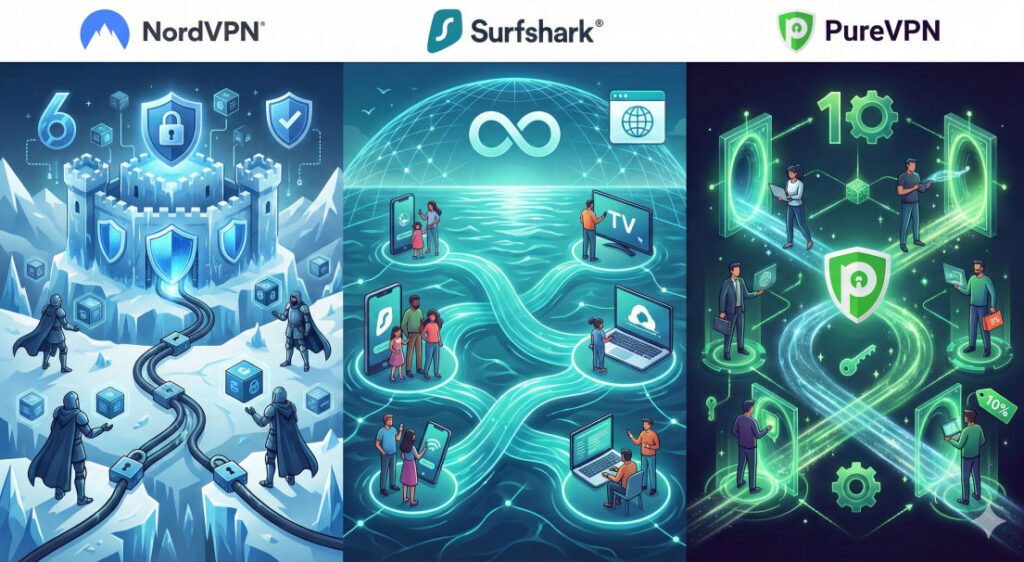
📊 Comparison Table: PureVPN vs. Leaders
| Feature | PureVPN | NordVPN | Surfshark |
| Audit Style | Always-On (KPMG) | Regular (PwC/Deloitte) | Regular (Deloitte) |
| Simultaneous Connections | 10 Devices | 10 Devices | Unlimited |
| Encryption | AES-256 / ChaCha20 | AES-256 / ChaCha20 | AES-256 / ChaCha20 |
| Unique Feature | 5-Year Budget Plans | Post-Quantum Security | Alternative ID Tool |
| Streaming | Excellent Unblocking | Excellent Unblocking | Excellent Unblocking |
❓ FAQ Section: 8 Common Questions
- Is PureVPN really a “no-logs” VPN? Yes, it is audited by KPMG under an “Always-On” agreement to prove it doesn’t store your data.
- Does PureVPN work on Netflix? Yes, it reliably accesses multiple regional libraries for Netflix, Disney+, and more.
- Can I protect all my family’s phones? Yes, a single subscription allows up to 10 simultaneous connections.
- Is it legal to use PureVPN? In most countries, yes. However, using a VPN for illegal activities remains prohibited.
- Will it slow down my internet? There is a small speed loss, but using the WireGuard protocol keeps it over 300 Mbps on local servers.
- Does PureVPN have a kill switch? Yes, it features an Internet Kill Switch to prevent data leaks if the VPN drops.
- Is it better than a free VPN? Yes, free VPNs often sell your data; PureVPN is audited to ensure your privacy.
- Can I get a refund? Yes, PureVPN offer a 31-day money-back guarantee on annual and multi-year plans.
💡 Beginner Tips for Families
- Protect the Whole House: Install PureVPN on your router to secure game consoles and smart TVs that don’t have VPN apps.
- Set to WireGuard: For the best family streaming and gaming experience, always select the WireGuard protocol in settings.
- Use Shortcuts: Use the one-click “Shortcuts” for tasks like streaming to avoid technical configuration.
- Lock the Kill Switch: Always ensure the Kill Switch is enabled to prevent accidental exposure of your family’s IP address.
- Audit Your Password Manager: If you choose the Plus plan, use PureKeep to generate strong, unique passwords for every family member.