Upon the very first attempt to connect to a VPN server, both the Android and iOS operating systems will present a high-level system prompt requesting permission to “Add VPN Configurations.” The user must authorize this prompt—which often requires verifying identity via a PIN, FaceID, or TouchID—to allow the mobile OS to securely route internet traffic through the NordVPN application.
Step 4: Connecting to a VPN Server 🌍 Upon successfully opening the application and logging in, the user is presented with a highly visual, interactive world map alongside a comprehensive list of available countries.
- To secure the connection immediately with zero guesswork, the user simply clicks or taps the prominent “Quick Connect” button. NordVPN’s proprietary algorithm will automatically evaluate server load, physical distance, and network latency to select and connect to the fastest, most stable server available at that exact moment.
- To browse from a specific geographic location—such as to access regional content while traveling or bypass a local sports blackout—the user can scroll through the country list or interact with the map to click on the desired nation. The interface will instantly establish a connection, granting the device an IP address from that specific region.
Step 5: Basic Recommended Settings for Maximum Security ⚙️🔒 While the default settings are robust, families should navigate to the app’s “Settings” menu (usually represented by a gear icon) to ensure maximum protection:
- Protocol Selection: Set the VPN Protocol to NordLynx (or WireGuard). This ensures the device utilizes modern ChaCha20 encryption, providing the fastest possible speeds while maximizing battery life on mobile devices.
- Kill Switch: Ensure the Internet Kill Switch is toggled to the “ON” position. This guarantees that if the VPN connection drops momentarily, the device will not leak unencrypted data onto the local network.
- Threat Protection: Enable Threat Protection Pro (available on desktop applications) to ensure continuous background scanning for malware downloads, intrusive ad blocking, and real-time phishing prevention.
- Who Should Use NordVPN? 👪👨💼🧳 NordVPN’s highly versatile feature set caters to a wide spectrum of internet users, making it exceptionally adaptable to varying digital lifestyles and specific security requirements.
Families Protecting Multiple Devices 👨👩👧👦 Modern households possess an expansive array of internet-connected hardware. NordVPN is highly advantageous for this demographic because a single subscription account allows for up to 10 simultaneous device connections. This generous allowance means a parent can secure their remote work laptop and primary smartphone, while simultaneously protecting a teenager’s mobile device, a shared family tablet, and a smart TV, all without requiring multiple overlapping, expensive subscriptions. Furthermore, features like Threat Protection Pro actively shield younger, less experienced users from accidentally clicking malicious phishing links or downloading disguised malware, acting as a persistent, passive digital guardian for the household.
Remote Workers and Professionals 👨💼👩💻 For individuals handling sensitive corporate data, client communications, or intellectual property from a home office, relying on consumer-grade ISP routing is a major security liability. NordVPN’s AES-256 encryption thoroughly secures remote workflows, ensuring that confidential emails and proprietary file transfers cannot be intercepted by bad actors. Additionally, the Meshnet feature provides immense value for remote workers, allowing secure, direct, encrypted access to office hardware or central home servers from remote locations without the complexities and security risks of opening ports on a router.
Travelers and Public Wi-Fi Users 🧳📶 Whether commuting on a local train, attending a conference, sitting in a hotel lobby, or working from a neighborhood cafe, frequent travelers are among the most frequent victims of public Wi-Fi exploitation. NordVPN encrypts data payloads regardless of the underlying public network’s security posture, rendering the user immune to local packet sniffing. Furthermore, travelers can utilize NordVPN to connect back to servers in their home country, allowing them to bypass geographic restrictions to access localized banking applications, domestic news portals, and home streaming libraries that are otherwise blocked by foreign internet providers.
Privacy-Conscious Individuals 🕵️ For users deeply concerned about government surveillance, aggressive corporate data brokering, or persistent ISP tracking, NordVPN offers specialized privacy tools designed for absolute anonymity. The company’s Panama jurisdiction ensures freedom from international data retention mandates. Furthermore, privacy purists can utilize specialized servers such as Double VPN, which routes internet traffic through two separate encrypted servers in different countries, wrapping the data in two layers of AES-256 encryption. Alternatively, users can connect to Onion Over VPN servers, which route traffic through the highly encrypted, decentralized Tor network, making digital footprint tracking and IP identification virtually impossible.
- Pros and Cons of NordVPN ⚖️ To provide a truly objective analysis suitable for a professional research guide, it is necessary to weigh NordVPN’s industry-leading advantages against its minor operational drawbacks and limitations.
| Feature Category | Advantages (Pros) | Limitations (Cons) |
|---|---|---|
| Performance & Speed | Industry-leading connection speeds powered by the proprietary NordLynx (WireGuard) protocol, retaining approximately 85% to 90% of baseline network speed during local connections. | Utilizing advanced privacy features like Double VPN or Onion over VPN inherently slows down connection speeds due to the overhead of multiple layers of routing and encryption. |
| Security & Privacy | Operates a verified, strict no-logs policy backed by multiple independent third-party audits. Implementation of Post-Quantum Cryptography ensures future-proof data security against sophisticated state actors. | The native Linux application currently lacks a graphical user interface (GUI), requiring Linux users to operate the software entirely via command-line interface (CLI) inputs. |
| Server Network | Operates a massive global infrastructure of 8,900+ servers spanning 130 countries, ensuring low latency connections and highly reliable geo-unblocking capabilities. | Some specialized servers (such as Double VPN or Obfuscated servers) are restricted to specific geographic locations, offering fewer country choices than the standard server fleet. |
| Extra Features | Includes exceptionally high-value cybersecurity tools like Threat Protection Pro (advanced malware blocking) and Meshnet (LAN routing) seamlessly integrated at no extra base cost. | The most advanced aspects of Threat Protection Pro (specifically file-level malware scanning and vulnerability checks) are currently limited to Windows and macOS operating environments. |
| Device Limits | Offers a generous allowance of 10 simultaneous active connections per account, which is sufficient to cover the smartphones, tablets, and computers of most modern households. | Some budget-focused competitors (such as Surfshark and Private Internet Access) offer unlimited simultaneous connections, making NordVPN’s 10-device cap a slight disadvantage for massive households. |
- NordVPN Pricing and Plans 💰📅 NordVPN employs a highly structured, tiered pricing strategy that heavily rewards users for long-term commitments. As of 2026, the service is structured into four distinct subscription tiers: Basic, Plus, Complete, and Prime. Each of these tiers can be purchased on a Monthly, 1-Year, or 2-Year billing cycle. Understanding what each tier includes is critical for families determining which level of cybersecurity investment is necessary for their specific needs.
Subscription Tiers Explained 📋
- NordVPN Basic: This is the foundational, entry-level tier. It includes the core high-speed VPN service, secure encryption protocols, access to the entire global network of 8,900+ servers, multi-device support for 10 connections, and the standard version of Threat Protection, which provides essential ad and tracker blocking.
- NordVPN Plus: Billed by the company as the most popular and best-value option, this tier adds two critical features. First, it upgrades the security to Threat Protection Pro, introducing active malware and downloaded file scanning. Second, it includes NordPass, a highly secure, cross-platform password manager that stores, organizes, and auto-fills login credentials, dramatically improving family password hygiene.
- NordVPN Complete: This comprehensive tier includes everything in the Plus plan and adds NordLocker. NordLocker provides users with 1 Terabyte of military-grade, end-to-end encrypted cloud storage, providing a highly secure vault for storing sensitive family documents, financial records, and personal photos away from public cloud vulnerabilities.
- NordVPN Prime (US and Select Regions): The premium tier transforms the Nord software into an exhaustive cybersecurity and identity defense suite. It includes NordProtect, an identity theft protection service that offers continuous dark web monitoring, credit score tracking, and up to $1 million in identity theft recovery and cyber extortion insurance. In regions where the insurance elements of NordProtect are legally unavailable, the Prime equivalent typically includes Incogni, an automated data removal service that forces data brokers to delete the user’s personal information from public databases.
Estimated Pricing Overview 💲 While exact pricing fluctuates slightly based on regional taxes and specific promotional timing, the standard pricing structure for a 2-Year Plan generally breaks down as follows (prices reflect average monthly equivalents, though they are billed entirely upfront for the 24-month period):
| Subscription Tier | 2-Year Plan (Best Value) | 1-Year Plan | 1-Month Plan (Rolling) |
|---|---|---|---|
| NordVPN Basic | ~$3.39 per month | ~$4.99 per month | ~$12.99 per month |
| NordVPN Plus | ~$3.89 per month | ~$5.49 per month | ~$15.29 per month |
| NordVPN Complete | ~$5.39 per month | ~$6.99 per month | ~$18.69 per month |
| NordVPN Prime | ~$7.39 per month | ~$8.99 per month | ~$25.29 per month |
As the data clearly illustrates, choosing a rolling 1-Month Plan is significantly more expensive and offers no long-term financial efficiency, making it suitable only for users who need a VPN for a brief, specific trip.
- How to Get NordVPN at the Best Price 💸 For families operating on a strict household budget, navigating complex VPN pricing structures requires strategic purchasing. The cost of comprehensive digital privacy can be drastically minimized by utilizing the following proven strategies:
Commit to Long-Term Plans 📆 The single most critical factor in securing the best VPN pricing is the length of the subscription commitment. Providers heavily discount multi-year plans to reduce customer churn and guarantee long-term users. While paying month-to-month for the NordVPN Basic tier costs roughly $155 annually, committing to a 2-year plan reduces the average monthly cost by over 70%, bringing the equivalent monthly price down to roughly the cost of a cup of coffee. Although the 2-year term requires an upfront payment of roughly $81, it remains the most economical long-term strategy. Importantly, all plans include a strict, risk-free 30-day money-back guarantee, allowing families to claim a full refund if the service does not meet their technical expectations.
Capitalize on Seasonal Promotions and Bundle Offers 🎁 VPN providers are known in the industry for their aggressive seasonal marketing campaigns. Consumers looking for the absolute best possible value should actively time their purchases around major retail holidays. During Black Friday, Cyber Monday, and late-winter corporate anniversary sales, NordVPN frequently drops baseline prices even further. Furthermore, during these promotional windows, the company often includes extra months of service for free (e.g., offering 27 months for the price of 24) or bundles long-term subscriptions with high-value digital gift cards, such as $20 to $50 Amazon vouchers, which effectively subsidizes the upfront cost of the VPN.
Manage Auto-Renewal Rates to Avoid Price Spikes ⚠️ A vital financial consideration that many consumers overlook is the auto-renewal mechanism. The highly discounted rates advertised on the website are specifically designed as introductory prices intended solely for new customers. When a 1-year or 2-year plan concludes, it traditionally auto-renews at the standard, non-discounted annual rate. For example, a highly discounted $81 introductory 2-year plan may renew at approximately $139 per year once the initial term expires. Consumers are strongly advised to log into their account management portal immediately after the initial purchase and disable the auto-renewal feature. This simple administrative step prevents unexpected billing spikes down the line and allows the user to manually hunt for a new promotional rate when their term ends.
- Getting Started with NordVPN for Families 👪🔒 Securing a modern household requires a fundamentally different logistical approach than simply securing a single laptop or smartphone. While NordVPN generously allows for 10 simultaneous device connections via its native applications, a contemporary family home often contains dozens of internet-connected endpoints. Smart TVs, gaming consoles (such as PlayStation, Xbox, and Nintendo Switch), IoT thermostats, and home security cameras cannot directly install traditional VPN applications because they lack the necessary operating systems to run the software.
The Router Solution: Securing the Network Chokepoint 🛡️🌐 To successfully bypass the 10-device limit and protect vulnerable hardware that lacks native application support, families can install NordVPN directly onto their home Wi-Fi router. This strategy secures the network at its physical source. By establishing the encrypted VPN tunnel at the router level, every single device that connects to the home Wi-Fi network—whether it is a guest’s smartphone or a smart refrigerator—is automatically routed through the secure NordVPN tunnel without requiring any individual software installation. Crucially, configuring a router in this manner counts as only one of the 10 allotted simultaneous connections on the NordVPN account, leaving nine connection slots fully available for family members to use on their mobile phones and laptops when they leave the house and connect to cellular data or public Wi-Fi.
How to Set Up a VPN on a Home Router 🏠🖥️ Installing a VPN on a router requires slightly more technical engagement than installing a standard desktop application, but it is a manageable, one-time configuration process. The conceptual steps for achieving this network-wide security are as follows:
- Verify Hardware Compatibility: The family router must support the “OpenVPN Client” feature. Standard, locked-down routers provided directly by local ISPs (such as a standard Comcast or AT&T gateway) generally do not support this functionality. Families will likely need to purchase a compatible third-party router (such as specific models from ASUS or TP-Link) or utilize a router flashed with open-source firmware like DD-WRT or OpenWrt.
- Access the Router Administration Panel: The user must open a web browser and type the router’s local IP address (usually 192.168.1.1 or 192.168.0.1) into the address bar to access the control panel. They then log in using the router’s administrator credentials.
- Obtain OpenVPN Configuration Files: The user logs into their Nord Account portal on the web. Navigating to the “Manual Setup” section, the user downloads a specific .ovpn configuration file. It is recommended to download a configuration file for a server physically close to the home to ensure the lowest latency and highest speeds.
- Upload and Configure: Returning to the router’s interface, the user navigates to the “VPN Client” or “OpenVPN” tab and uploads the downloaded .ovpn configuration file.
- Enter Service Credentials: To authenticate the connection, the user must input their unique “Service Credentials.” These are a specialized, highly secure username and password combination found deep within the NordVPN account dashboard, completely distinct from the standard email and password used to log into the website.
- Activate the Tunnel: The user saves the configuration settings and clicks “Activate” or “Enable.” The router will establish the connection to the NordVPN server, and all home traffic will instantly become fully encrypted.
Pre-Configured Routers for Non-Technical Users 🔌 For families seeking a frictionless, “plug-and-play” experience without the stress of manual firmware configuration, third-party vendors specialize in out-of-the-box solutions. Companies like FlashRouters sell high-performance hardware (such as the Privacy Hero router or advanced ASUS mesh systems) that arrive with NordVPN natively integrated. These pre-configured devices require minimal setup and are often optimized for the blazing-fast NordLynx protocol, providing whole-home encryption seamlessly.
- Optional Learning Resources 📚🔍 For users and parents transitioning into a proactive cybersecurity mindset, ongoing education is just as critical as the software itself. The internet features vast, highly accessible repositories of digital hygiene materials designed to demystify complex networking concepts. Various tech publications, video hosting platforms, and corporate cybersecurity hubs offer free guides, visual tutorials, and step-by-step demonstrations showcasing exactly how VPNs deflect complex network attacks and tracking algorithms.
Furthermore, specialized educational platforms like VPN-for-Family offer tailored tutorials, real-world security demonstrations, and highly practical deployment guides specifically engineered to help beginners understand how VPN protection operates in day-to-day household scenarios. Utilizing these targeted resources can transform an intimidating technical setup process into a streamlined, empowering educational experience for family administrators, ensuring that the software is utilized to its maximum defensive potential.
- Final Verdict 👍 The internet of 2026 is a highly complex digital ecosystem fraught with automated data harvesting, intrusive corporate surveillance, and active cyber threats. Addressing these pervasive vulnerabilities requires a comprehensive security solution that does not compromise device performance, throttle streaming bandwidth, or demand a degree in computer science to operate on a daily basis.
The extensive research and analysis indicate that NordVPN stands as an exceptionally robust, reliable, and user-friendly solution for families seeking to elevate their online privacy. Its steady transition from a simple IP-tunneling service into a comprehensive, multi-faceted cybersecurity suite is highly commendable. The integration of advanced features—specifically the AI-driven Threat Protection Pro to combat malware at the point of download, and the forward-thinking deployment of Post-Quantum Cryptography to future-proof intercepted data—demonstrates a proactive corporate approach to evolving digital dangers. Meanwhile, the immense global network of 8,900+ servers and the high-speed NordLynx protocol guarantee that households can stream high-definition content, play competitive games, and browse seamlessly without experiencing the suffocating latency traditionally associated with heavy network encryption.
While its 10-device limit falls slightly short of the unlimited simultaneous connections offered by a select few budget competitors, this constraint is easily circumvented through a one-time router installation, which effectively protects the entire home under a single connection slot. When factoring in its rigorous, repeatedly audited no-logs policy, highly intuitive application design across all major platforms, and highly competitive long-term pricing structures, NordVPN unequivocally justifies its position as a premier digital bodyguard. For families intent on reclaiming their digital anonymity, bypassing restrictive regional censorship, protecting children from intrusive tracking, and securing their local networks from bad actors, NordVPN is an essential investment that yields immediate, tangible, and lasting security dividends.
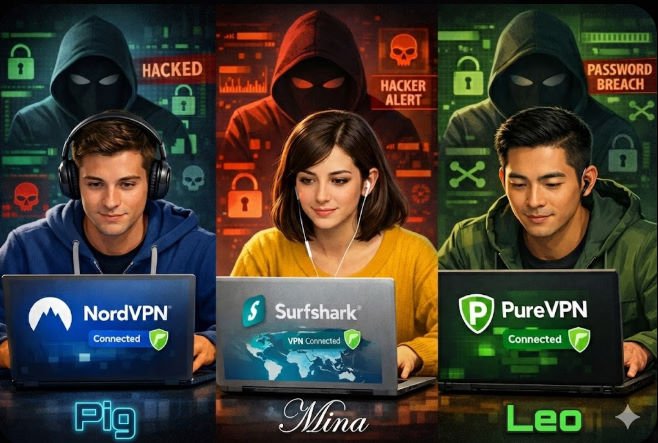
Comparison Table: NordVPN vs Surfshark vs PureVPN ⚔️🦈🛡️
| Feature | NordVPN | Surfshark | PureVPN |
|---|---|---|---|
| Encryption | AES-256 | AES-256 | AES-256 |
| Protocols | NordLynx, OpenVPN, IKEv2 | WireGuard, OpenVPN, IKEv2 | OpenVPN, IKEv2, L2TP, SSTP, PPTP |
| Servers | 8,900+ in 130 countries | 3,200+ in 100 countries | 6,500+ in 140+ countries |
| Simultaneous Connections | 10 | Unlimited | 10 |
| Ad & Malware Blocking | ✅ (Threat Protection Pro) | ✅ (CleanWeb) | ✅ |
| Strict No Logs Policy | ✅ (Independently Audited) | ✅ | ✅ |
| Customer Support | 24/7 Live Chat, Email, Knowledge Base | 24/7 Live Chat, Email, Knowledge Base | 24/7 Live Chat, Email, Ticket System |
| Price (Monthly) | $12.99 | $12.95 | $10.95 |
| Price (1 Year) | $4.99/mo | $3.99/mo | $3.24/mo |
| Price (2 Years) | $3.39/mo | $2.49/mo | $1.99/mo |
| Money-Back Guarantee | 30 Days | 30 Days | 31 Days |
| Unique Features | Post-Quantum Encryption, Meshnet, Onion over VPN | Bypasser, GPS Spoofing, Surfshark Alert | Dedicated IP, Port Forwarding, DDoS Protection |
FAQ ❓
- Is using a VPN legal? Yes, in most countries, using a VPN is completely legal. However, engaging in illegal activities while using a VPN remains illegal. Some authoritarian countries like China and Russia heavily restrict or ban VPN usage.
- Will a VPN slow down my internet connection? All VPNs introduce some degree of latency due to the encryption process. However, premium VPNs like NordVPN minimize this speed loss through optimized protocols and massive server networks. Users typically experience a 10-15% reduction in raw speed, which is barely noticeable for everyday browsing and streaming.
- Can I use a VPN to access geo-blocked content? Yes, connecting to a VPN server in a different country can allow you to bypass geographic content restrictions and access services like Netflix, Hulu, or BBC iPlayer as if you were physically located in that region.
- Will a VPN drain my battery on mobile devices? While the VPN encryption process does consume some additional battery power, this impact is minor on modern smartphones. Premium VPNs optimize their apps for mobile efficiency, and the industry-standard protocols (like WireGuard and NordLynx) are engineered to minimize battery drain.
- What’s the difference between a VPN and a proxy? A proxy only routes your internet traffic through a remote server without encryption. A VPN establishes an encrypted tunnel, hiding your data from your ISP and any third parties. VPNs are far more secure and comprehensive than proxies.
- Can I install a VPN on my smart TV or gaming console? Most smart TVs and gaming consoles do not support native VPN apps. To secure these devices, you’ll need to install the VPN on your home router, which will automatically protect every device on the network.
- How do I know if my VPN is working? Most VPN apps display a clear “Connected” status when active. You can also use third-party tools like ipleak.net to verify that your true IP address is hidden and your DNS requests are secure.
- Can my ISP see my internet activity when using a VPN? Your ISP can see that you’re connected to a VPN server, but it cannot decipher your web traffic, browsing history, or online activities. The VPN encryption renders your data completely unreadable to your ISP.
Beginner Tips for Families 🌟
- Start with a reputable, user-friendly VPN service like NordVPN that offers 24/7 customer support and a 30-day money-back guarantee. Avoid free VPNs, as they often have slower speeds, fewer features, and questionable privacy practices.
- Install the VPN app on every family member’s personal devices (smartphones, tablets, laptops) and teach them how to connect to the VPN whenever using public Wi-Fi or accessing sensitive information.
- Consider configuring the VPN on your home router to automatically secure all connected devices, including smart TVs, gaming consoles, and IoT appliances that cannot run VPN software directly.
- Enable the VPN’s kill switch feature to prevent accidental data leaks if the VPN connection drops unexpectedly.
- Encourage family members to use strong, unique passwords across all their accounts and to enable two-factor authentication (2FA) whenever possible. A password manager like NordPass can help streamline this process.
- Regularly discuss online safety, privacy best practices, and emerging cyber threats with your family. Foster an open, ongoing dialogue about responsible internet usage and the importance of digital hygiene.
- Take advantage of parental control features and content filtering options provided by your VPN, router, or other security software to create age-appropriate online boundaries for younger family members.
- Keep all family devices updated with the latest security patches and software versions to minimize vulnerabilities. Enable automatic updates when possible.
- Supplement your VPN with additional security tools like antivirus software, ad blockers, and encrypted messaging apps for a comprehensive defense against online threats.
- Periodically review your family’s online security setup, adjust settings as needed, and stay informed about new cybersecurity developments that may impact your household’s digital safety.
By implementing these beginner tips and leveraging the power of a trusted VPN like NordVPN, you can dramatically improve your family’s online privacy, security, and peace of mind in an increasingly connected world. 🌐✨