Picture this: Your family is at the airport waiting for a flight. The kids are happily watching videos on their tablets connected to the free airport WiFi. You quickly check your bank app to pay a bill and scroll through family photos to share with relatives. It feels convenient and harmless. But is it really safe? For millions of families every day, the answer is a worrying “no.”
Public WiFi is everywhere—in cafés, airports, hotels, libraries, and shopping malls. A 2025 survey by Panda Security found that nearly 40% of Americans have experienced or suspect a security incident after using it, with 19% certain something went wrong. Another report from Zimperium that same year discovered over 5 million unsecured public WiFi networks worldwide since January 2025, and 33% of people still connect to them without a second thought.
As a parent, you already worry about keeping your children safe online at home. Public WiFi adds a whole new layer of risk because you don’t control the network. The good news? With simple knowledge and one easy tool, you can protect your family without giving up the convenience. Let’s break it down in plain English—no tech degree required.
### What Exactly Is Public WiFi?
Public WiFi is simply internet access provided free (or sometimes for a small fee) by businesses, cities, or organizations so customers and visitors can get online. Think of it like a big shared kitchen in an apartment building. Everyone in the building uses the same fridge, stove, and sink. The owner (the café or airport) sets it up, but they don’t usually lock the doors or check who’s using it.
Most public networks are “open” or use a simple shared password like “FreeCafeWiFi123.” Your phone or tablet connects automatically because you’ve used it before or it looks convenient. Behind the scenes, all the data from every device—yours, your kids’, the person next to you—travels through the same invisible “airwaves” to the router and then out to the internet.
It feels magical when you’re traveling or out for the day. No mobile data used up, no waiting. But that shared kitchen has no locks on the cupboards, and anyone nearby with the right tools can peek inside.
### How Hackers “Sniff” Traffic on Open Networks
Imagine your family is having a conversation at a crowded park picnic table. You’re speaking normally, not whispering. A stranger sitting nearby with a good pair of ears (or a hidden recording device) can hear every word.
That’s essentially what “packet sniffing” is on public WiFi.
When your device sends information—whether it’s loading a webpage, sending an email, or logging into an app—it breaks the data into small bundles called “packets.” These packets travel through the air to the WiFi router. On a home network you control, the router acts like a secure mailbox. On public WiFi, the packets are like postcards with no envelope: anyone tuned into the same frequency can read them.
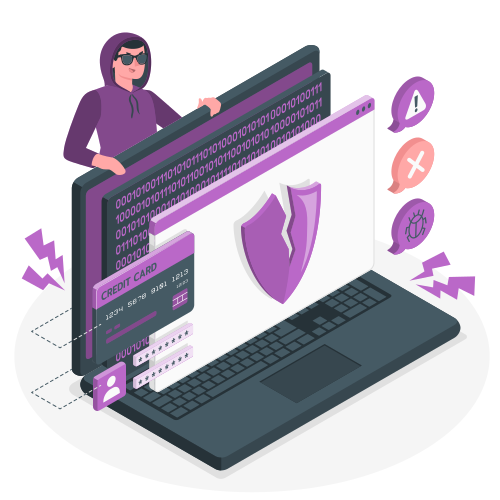
Hackers use free or cheap software (called packet sniffers or network analyzers) and set their device to “promiscuous mode.” This lets their laptop or small gadget capture every packet flying around nearby, not just the ones meant for them. The tools are surprisingly easy to use—some even run on a smartphone. A hacker sitting two tables away in a café can quietly collect thousands of these packets in minutes.
It doesn’t require genius-level skills. In one famous demonstration years ago (still relevant today), ethical hacker Wouter Slotboom sat in a busy Amsterdam café with a small antenna device. Within 20 minutes, he could see where people were born, what schools they attended, and their last five Google searches—without them knowing.
### What Information Can Attackers Actually See?
On an open or weakly protected public network, attackers can view:
– **Login details and passwords** — especially if the website isn’t using modern encryption (though most do now, as we’ll explain later).
– **Emails and messages** — the full content if sent without protection.
– **Browsing history** — every website you visit and how long you stay.
– **Photos and files** — anything you upload or download.
– **Credit card numbers** — if you shop online without extra safeguards.
– **Device information** — phone model, operating system, even location data.
Even on sites that lock the content (more on this below), hackers can still see which sites you visit, when, and sometimes metadata like how much data you’re sending. With more advanced tricks like “man-in-the-middle” attacks, they can insert themselves between your device and the real website, stealing information or redirecting you to fake login pages that look identical to your bank or email.
For families, this means a child playing an online game could accidentally download malware that spreads to the whole family’s devices. Or a parent checking work email could expose the family’s home address and kids’ names.
### Real-World Risks in Cafes, Airports, and Hotels
These everyday places are hacker favorites because people are distracted, tired, or in a hurry.
**Cafés**: Close quarters make sniffing easy. Everyone is relaxed, sipping coffee, and many log into social media or check banking apps. Hackers set up “evil twin” networks—fake WiFi spots with names like “Starbucks_Free_WiFi” that look legitimate. Your phone auto-connects, and everything you do routes through the hacker’s device.
**Airports and train stations**: High foot traffic means more victims. In September 2024, WiFi at 19 major UK stations (including busy London hubs) was compromised, redirecting users to malicious pages. Travelers often use public WiFi to book rides, check boarding passes, or handle money. A 2025 Florida Attorney General warning highlighted “evil twin” scams at airports where scammers set up identical-sounding networks and stole personal data from dozens of people.
**Hotels**: Many still use simple shared passwords or unsecured guest networks. Evil twins are common here too—someone in the lobby creates “HotelGuestWiFi_Free” while the real one requires a room number. One Australian man was charged after setting up fake airport-style networks to harvest information. Families on vacation often let kids stream shows or play games for hours, leaving devices exposed for long periods.
Real stories make it hit home. In Perth, Australia, in 2025, businessman Casey Grogan used hotel WiFi and had his email hacked. Hackers sent fake invoices to his clients asking them to pay into a new account—nearly costing him thousands. Another well-known case involved a journalist on an American Airlines flight using paid in-flight WiFi; his device was compromised mid-article, exposing personal details.
According to the Panda Security survey, 43% of people check personal email on public WiFi, 20% make purchases with credit cards, and 18% log into bank accounts—exactly the activities that put families at risk.
### How Encryption and VPNs Keep Your Family Safe
Here’s the hopeful part: technology already has two powerful shields.
**Encryption** is like putting your postcard in a locked, tamper-proof envelope. The most common form you see is HTTPS (the little padlock in your browser address bar). Since around 2020, almost every major website uses it automatically. When you visit a bank or shopping site with HTTPS, the actual content (your password, account number) is scrambled so that even if someone sniffs the packets, they see only gibberish.
But HTTPS has limits on public WiFi. It protects the “letter” but not always the address on the envelope (which sites you visit). More importantly, if you connect to a fake evil twin network, the hacker can trick your device before the encryption kicks in or use sophisticated tricks to break it.
This is where a **VPN (Virtual Private Network)** becomes your family’s best friend. A VPN creates a secure, encrypted tunnel between your device and a trusted server far away (often in another country). All your internet traffic—every packet—goes through this tunnel first.
Think of it like this: Instead of sending postcards across the crowded park, you put everything in a locked steel box, hand it to a trusted courier who drives it to a secure post office, and only then does it continue to its destination. The hacker at the next table sees only the locked box heading to the courier—they can’t open it or read anything inside.
For families, this means:
– Kids’ tablets are protected from malware and inappropriate redirects.
– Your banking and email stay completely private.
– Everyone can stream, play games, or browse safely.
Modern VPN apps are incredibly simple—one tap to connect, and they work on phones, tablets, laptops, and even some smart TVs. Many now offer family plans or unlimited devices. They also block dangerous sites automatically and hide your real location. With a VPN active, even the riskiest public WiFi becomes as safe as your home network.
### Extra Simple Tips for Parents
– Use mobile data for anything sensitive (banking, passwords) when possible—cellular is much harder to sniff.
– Always verify the exact WiFi name with staff.
– Turn off “auto-join” for public networks on family devices.
– Enable the built-in firewall and keep software updated.
– Teach kids the “if it asks for personal info, don’t connect” rule.
– Use two-factor authentication everywhere—it stops hackers even if they steal a password.
– After using public WiFi, “forget” the network so your phone doesn’t reconnect automatically.
### The Bottom Line: Convenient, But Not Worth the Risk Without Protection
Public WiFi isn’t going away, and it’s not evil—it’s just not built for privacy. For busy families juggling school runs, vacations, and everyday errands, the small extra step of using a VPN turns a potential nightmare into peace of mind.
You already lock your front door and teach your kids to look both ways before crossing the street. Treating public WiFi the same way—assuming it’s unsafe until proven otherwise with a VPN—protects your family’s finances, identities, photos, and future without spoiling the convenience.
Next time you see that “Free WiFi” sign, smile, tap your VPN app, and connect with confidence. Your family’s digital safety is worth those few seconds. In 2026 and beyond, staying one step ahead of hackers isn’t about being paranoid—it’s about being a smart, caring parent.
(Word count: 1,248)
Stay safe out there—your family’s memories (and data) are too precious to leave unprotected.