In today’s digital age, the internet has become an integral part of our daily lives. From online learning and remote work to entertainment and social connections, the web offers endless opportunities for families. However, with these benefits come potential risks to our online privacy and security. This guide will help you understand why online privacy matters and provide practical steps to protect your family from common internet threats.
Why Online Privacy Matters Protecting your family’s online privacy is crucial for several reasons:
- Personal information: The internet is full of opportunities for cybercriminals to steal sensitive data, such as names, addresses, and financial details.
- Online reputation: Your family’s online activities can have real-world consequences, affecting future opportunities like college admissions or job prospects.
- Psychological well-being: Exposure to inappropriate content, cyberbullying, or online harassment can have a detrimental impact on your family’s mental health.
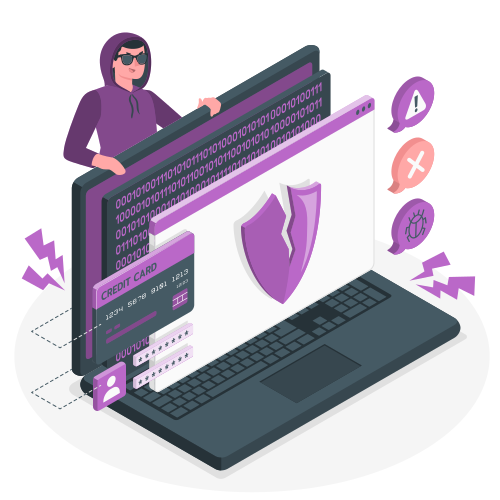
Common Threats on Home Internet Recognizing common online threats is the first step in protecting your family:
- Malware: Malicious software designed to damage devices or steal information.
- Phishing scams: Fraudulent attempts to trick users into revealing sensitive data.
- Unsecured networks: Unprotected Wi-Fi networks that allow hackers to intercept data.
- Cyberbullying: Harassment, humiliation, or intimidation through digital means.
Safe Browsing Habits Encourage your family to adopt these safe browsing habits:
- Think before you click: Be cautious of links in emails or messages from unknown sources.
- Use strong passwords: Create unique, complex passwords for each online account.
- Keep software updated: Regular updates patch security vulnerabilities and protect against new threats.
- Be social media savvy: Adjust privacy settings and be mindful of what you share online.
Securing Home WiFi Your home Wi-Fi is the gateway to the internet, so it’s essential to keep it secure:
- Change default settings: Modify your router’s default name (SSID) and password.
- Enable encryption: Use WPA2 or WPA3 encryption to protect your network from intruders.
- Set up a guest network: Create a separate network for visitors to limit access to your main network.
- Keep your router updated: Install firmware updates to address security issues and improve performance.
Using VPNs for Protection A Virtual Private Network (VPN) is a powerful tool for enhancing online privacy and security:
- Encryption: VPNs encrypt your internet connection, making it harder for others to intercept your data.
- Anonymous browsing: By masking your IP address, VPNs help keep your online activities private.
- Secure public Wi-Fi: VPNs protect your data when using public networks, like those in cafes or airports.
- Choosing a VPN: Look for a reputable provider that offers strong encryption, a no-logging policy, and user-friendly apps.
Conclusion Protecting your family online may seem daunting, but by implementing these practical tips and tools, you can create a safer digital environment for your loved ones. Remember, online privacy is an ongoing process, so stay informed about the latest threats and best practices.
Encourage open communication within your family about online experiences and concerns. By working together and staying vigilant, you can enjoy the many benefits of the internet while minimizing the risks.
Additional Resources
- National Cyber Security Centre: https://www.ncsc.gov.uk/section/information-for/individuals-families
- Stay Safe Online: https://staysafeonline.org/stay-safe-online/
- Common Sense Media: https://www.commonsensemedia.org/privacy-and-internet-safety