🦈 Surfshark VPN Complete Guide: Features, Setup, Pricing, and Why It’s Popular for Families
Introduction 🌐
The digital landscape in 2026 has become increasingly complex for the average household. As the boundaries between work, education, and entertainment continue to blur, the domestic internet connection has transitioned from a simple utility to a critical infrastructure point. This shift has necessitated a corresponding evolution in security measures. Virtual Private Networks (VPNs), once the sole domain of corporate IT departments and privacy enthusiasts, are now fundamental tools for family internet safety.
Surfshark VPN has emerged as a prominent leader in this sector, distinguishing itself through a unique combination of high-capacity features and an accessible user experience designed for non-technical users. The modern internet environment presents a multifaceted array of risks, ranging from the monetization of personal data by Internet Service Providers (ISPs) to the rising frequency of man-in-the-middle (MITM) attacks on public networks. For families, the challenge is amplified by the sheer volume of devices requiring protection. The proliferation of smartphones, tablets, laptops, and Internet of Things (IoT) devices has created an expansive attack surface that traditional, limited-connection VPNs struggle to secure. Analysis of the current market suggests that Surfshark’s strategic decision to offer unlimited simultaneous connections has been a primary catalyst for its adoption within large households.
What Is Surfshark VPN? 🤔
Surfshark VPN is a comprehensive cybersecurity service operated by Surfshark B.V.. Since its market debut in 2018, the company has undergone a rapid transformation from a specialized VPN provider into a broad-spectrum digital security powerhouse. The service’s historical trajectory is marked by aggressive innovation and a series of strategic maneuvers that have solidified its position in the upper echelon of the industry.
Foundational History and Jurisdictional Evolution 🏛️
The company was founded in 2018 with the launch of its initial VPN application for iOS devices. Initially registered in the British Virgin Islands (BVI), Surfshark sought to capitalize on a jurisdiction known for its absence of mandatory data retention laws, which is a critical prerequisite for maintaining a credible no-logs policy. In October 2019, the service achieved a significant milestone by receiving an official seal of approval from AV-TEST, an independent IT-Security Institute, marking it as one of the first VPN packages to receive such external validation.
A pivotal shift in the company’s administrative structure occurred on October 1, 2021, when Surfshark relocated its headquarters to the Netherlands. This move was initially met with scrutiny by the privacy community, as the Netherlands is a member of the Nine Eyes intelligence-sharing alliance. However, the company maintains that the Dutch legal framework is highly compatible with privacy-first services, as it lacks domestic laws requiring VPN providers to log or retain user data and adheres strictly to the General Data Protection Regulation (GDPR). This relocation preceded the February 2022 merger with Nord Security, the parent company of NordVPN. Despite the merger, Surfshark and Nord Security continue to operate as autonomous entities with separate infrastructures, management teams, and product development roadmaps.
Institutional Growth and Social Responsibility 🌍
Surfshark’s evolution is also characterized by its engagement with broader digital rights issues. In 2020, the company became a founding member of the VPN Trust Initiative (VTI), a group dedicated to establishing industry standards for security, transparency, and trust. Furthermore, Surfshark’s partnership with NetBlocks, a digital rights watchdog, has led to the creation of the Internet Shutdown Tracker, a tool that monitors and reports on global internet disruptions and censorship. This involvement indicates a corporate philosophy that extends beyond the provision of software to the advocacy of a free and open internet.
| Milestone Date | Event Description |
| 2018 | Initial launch of Surfshark VPN for iOS. |
| 2019 | Launch of Surfshark Alert and Surfshark Search; AV-TEST approval. |
| 2020 | Transition to 100% RAM-only servers; introduction of WireGuard protocol. |
| 2021 | Launch of Surfshark Antivirus and Incogni; relocation to the Netherlands. |
| 2022 | Finalization of merger with Nord Security; launch of Surfshark Nexus technology. |
| 2023 | Introduction of Dedicated IP and Alternative ID services; MASA audit completion. |
| 2025 | Major independent no-logs audit by Deloitte. |
| 2026 | Comprehensive infrastructure security audit by Securing. |
Key Features 🔑
The competitive advantage of Surfshark lies in its feature-rich ecosystem, which is designed to automate complex security tasks for the end-user. The service has consistently prioritized features that address the specific pain points of modern families and beginners.
Infrastructure and Performance Standards ⚡
The physical backbone of Surfshark consists of a network of over 3,200 to 4,500 servers distributed across 100 countries. This global reach is critical for maintaining high speeds and providing reliable access to region-restricted content. In 2020, Surfshark moved its entire network to RAM-only servers. This infrastructure ensures that all data is wiped every time a server is rebooted, providing a physical safeguard against data theft in the event of a server seizure. By 2026, the company had upgraded the majority of its network to 10Gbps servers, significantly reducing latency and congestion during peak usage hours.
The Unlimited Connection Policy 📱∞
Perhaps the most significant feature for families is the provision of unlimited simultaneous connections. Most premium VPN providers restrict users to between five and ten devices per account. In a household where multiple members own smartphones, laptops, and smart TVs, these limits are easily surpassed. Surfshark’s policy allows a single subscription to protect every device in the home, including those of guests, without requiring the management of active sessions or additional fees.
Advanced Security and Privacy Tools 🛠️
Beyond basic encryption, Surfshark offers a suite of integrated tools known as the Surfshark One bundle:
- CleanWeb 2.0: This tool serves as a multifaceted barrier against digital annoyances and threats. It blocks advertisements, trackers, and malware at the DNS level. By preventing these elements from loading, CleanWeb enhances page loading speeds and protects users from malicious “malvertising” campaigns.
- MultiHop and Dynamic MultiHop: Standard MultiHop routes traffic through two different VPN servers, doubling the encryption. The “Dynamic” iteration, released in 2023, allows users to manually select any two servers from the network for their entry and exit points, providing a customizable layer of extreme anonymity.
- Nexus and SDN Technology: Surfshark Nexus utilizes Software Defined Networking (SDN) to connect the entire server network into a single mesh. This enables features like the IP Rotator, which changes the user’s exit IP address every few minutes without disconnecting the VPN session, making it virtually impossible for advertisers to build a persistent profile of the user.
- Alternative ID: This feature addresses the problem of data brokers and spam. It allows users to generate a surrogate online persona—including a fake name, birthdate, and email address—for use when signing up for websites that are likely to share user data.
- Kill Switch: A fundamental fail-safe that cuts off internet access if the VPN connection drops. This prevents the device from reverting to an unencrypted state and exposing the user’s real IP address or traffic to the ISP.
How Surfshark Protects Your Internet Traffic 🛡️
The efficacy of a VPN is determined by its ability to secure data in transit. Surfshark achieves this through sophisticated cryptographic protocols and a secure tunneling mechanism that shields user activity from external surveillance.
Encryption Mechanics and Cryptography 🔐
When a connection is established, Surfshark uses military-grade AES-256-GCM encryption. The Advanced Encryption Standard (AES) with a 256-bit key is currently considered unbreakable by brute-force methods, as it would take billions of years for the world’s most powerful computers to guess the correct decryption key. The “GCM” (Galois/Counter Mode) adds a layer of integrity checking, ensuring that data has not been tampered with while traveling between the user’s device and the VPN server.
For modern devices and high-speed connections, Surfshark defaults to the WireGuard protocol. WireGuard is praised for its efficiency and speed, consisting of approximately 4,000 lines of code compared to the hundreds of thousands found in older protocols like OpenVPN. This reduction in complexity minimizes the “attack surface” for potential vulnerabilities. Additionally, the service incorporates Post-Quantum Cryptography (PQC) on its WireGuard connections, a forward-looking measure designed to protect data against future threats from quantum computing.
Defense Against Network Interception 🕵️♂️
Surfshark provides robust protection against several common forms of cyberattacks that target unencrypted data.
Packet Sniffing and Eavesdropping
On public Wi-Fi networks, such as those found in airports or cafes, data is often transmitted in an unencrypted or poorly secured format. Hackers can use “packet sniffing” software to monitor this traffic and extract sensitive information like login credentials or personal messages. Surfshark’s encrypted tunnel ensures that even if a hacker intercepts the data, they see only a meaningless jumble of characters.
Man-in-the-Middle (MITM) and Evil Twin Attacks
In an MITM attack, a hacker positions themselves between the user and the website they are visiting. This is frequently achieved through an “Evil Twin” attack, where the hacker sets up a rogue Wi-Fi hotspot with a name identical to a legitimate network (e.g., “Guest_WiFi”). By connecting to a VPN, the user establishes a direct, encrypted link to the VPN server that bypasses the hacker’s ability to view or alter the traffic, effectively neutralizing the rogue hotspot.
Session Hijacking and Sidejacking
Hackers can sometimes steal “session cookies” to take control of a user’s active web session (e.g., an open banking or email tab). Surfshark’s continuous encryption of all outgoing and incoming traffic prevents the theft of these cookies on shared networks, ensuring that the user’s digital identity remains secure during their entire online session.
How to Install and Use Surfshark 📲
A primary reason for Surfshark’s popularity among beginners is its streamlined installation process and intuitive interface. The software is designed to be functional within minutes of subscription.
Installation for Windows and macOS 💻
- Subscription and Account Creation: Users first select a plan on the Surfshark website and create an account using a valid email address.
- Downloading the Installer: Once logged in, the user accesses the “Apps” section and downloads the relevant installer for their OS (.exe for Windows, .dmg for macOS).
- Setup and Permissions: After running the installer, the application will prompt the user to log in. On macOS, the system may require the user to grant “Network Extension” permissions to allow the VPN to manage the connection.
- Connecting: The home screen features a prominent “Quick Connect” button. Clicking this will automatically link the user to the fastest available server. Advanced users can select the “Locations” tab to choose specific countries or use the “MultiHop” tab for double encryption.
Installation for Android and iPhone (iOS) 📱
The mobile experience is optimized for touch interfaces and maintains a consistent design language across both platforms.
- Store Download: Users download the app directly from the Google Play Store or Apple App Store.
- Initial Configuration: Upon opening and logging in, the app will ask for permission to add a VPN configuration to the device. This is a standard system prompt required for all VPNs to function.
- Special Features on Android: The Android app includes a unique “GPS Spoofing” feature. To use this, the user must enable “Developer Options” in their phone settings and select Surfshark as the “Mock Location App”. This allows the phone’s GPS to match the VPN server location, which is useful for location-sensitive apps.
Router and Smart Home Integration 🏠
For devices that do not natively support VPN apps—such as older smart TVs, gaming consoles (PlayStation, Xbox), and IoT devices—installing Surfshark at the router level is the most effective solution.
- Compatibility: This requires a router that supports the OpenVPN or WireGuard protocol. Popular brands like ASUS provide built-in support for these configurations.
- The Benefit of Blanket Protection: Once the router is connected to Surfshark, every device that joins the home Wi-Fi is automatically encrypted. This eliminates the need to install individual apps and ensures that even guest devices are protected.
Who Should Use Surfshark? 👥
The market positioning of Surfshark makes it a versatile tool for a variety of user profiles, though certain groups benefit more significantly from its specific feature set.
Families and Large Households 👨👩👧👦
The “unlimited devices” policy is the primary driver for family adoption. In a contemporary setting, the number of internet-connected devices in a home can easily reach 20 or more when considering phones, laptops, smart home assistants, and streaming sticks. Surfshark allows a single account to manage this entire ecosystem without the technical friction of device caps.
Beginners and Non-Technical Users
Surfshark’s interface avoids technical jargon wherever possible. Features like CleanWeb and the Kill Switch are presented as simple toggles. The 24/7 live chat support further reduces the barrier to entry, providing immediate assistance for setup or troubleshooting.
Value-Seekers and Students
While its monthly cost is higher than some competitors, Surfshark’s two-year plans offer a price-to-performance ratio that is difficult to surpass. For users on a budget, such as students or those managing household finances, the long-term savings are substantial, particularly when considering the extra security tools (Antivirus, Search, Alert) included in the mid-tier plans.
Pros and Cons ⚖️
A comprehensive analysis of Surfshark reveals a service that is highly optimized for the general consumer, though it may have certain limitations for power users.
Pros
- Superior Multi-Device Support: Unlimited simultaneous connections remain a rare and highly valuable perk in the VPN industry.
- Speed and Reliability: Consistent performance on local and regional servers makes it suitable for 4K streaming and high-definition video conferencing.
- Rich Feature Suite: Tools like Alternative ID and the IP Rotator provide privacy benefits that go beyond simple traffic encryption.
- Audited Transparency: Regular independent audits of the no-logs policy and infrastructure provide a level of assurance that is critical for trust.
- Streaming Versatility: Effectively unblocks a wide range of international streaming libraries, including Netflix, Disney+, and BBC iPlayer.
Cons
- Renewal Price Increase: The introductory rates are very low, but the price jumps significantly after the initial 12- or 24-month term.
- Jurisdictional Concerns: Being based in the Netherlands (a Nine Eyes member) may be a deterrent for users with extreme privacy requirements, despite the no-logs policy.
- Lack of Port Forwarding: This feature is missing, which may impact certain advanced users who host servers or engage in specific types of P2P file sharing.
- Latency on Distant Servers: While local connections are fast, speeds can drop by over 25% when connecting to servers on the other side of the globe.
Pricing and Plans 💰
Surfshark’s pricing is tiered to allow users to choose the level of protection that fits their needs. By early 2026, the structure has been refined into three main packages: Starter, One, and One+.
Plan Tier Breakdown
| Feature | Surfshark Starter | Surfshark One | Surfshark One+ |
| Secure VPN | Included | Included | Included |
| Unlimited Connections | Yes | Yes | Yes |
| CleanWeb (Ad Blocker) | Included | Included | Included |
| Alternative ID | Included | Included | Included |
| Antivirus Protection | No | Included | Included |
| Search (Private Search) | No | Included | Included |
| Alert (Breach Monitoring) | No | Included | Included |
| Incogni (Data Removal) | No | No | Included |
Subscription Costs (Estimates for 2025/2026)
Pricing varies based on current promotions, but the following table represents the standard introductory offers.
| Duration | Starter | One | One+ |
| 1 Month | $15.45 | $17.95 | $20.65 |
| 12 Months | ~$3.19/mo | ~$3.69/mo | $6.99/mo |
| 24 Months | ~$1.99/mo | ~$2.49/mo | ~$4.49/mo |
The two-year plans typically include an additional 3 to 4 months of free service, making the effective monthly rate even lower.
How to Get Surfshark at the Best Price 📉
Achieving the maximum ROI on a Surfshark subscription requires knowledge of the company’s promotional cycles and discount mechanisms.
Seasonal Sales Events
The most advantageous time to purchase Surfshark is during the Black Friday and Cyber Monday period, which often runs from late October through December. During these events, the service frequently offers its “lowest-ever” prices, sometimes reaching as low as $1.77 per month when accounting for bonus months.
Leveraging Group Discounts
Specific demographics can access permanent discounts that often stack with existing sales.
- Student and Graduate Discounts: Verified through Student Beans, students can receive an additional 15% discount or extra free months.
- Military and Healthcare Workers: Special coupons (such as “MILITARYCN”) are available for active-duty personnel, veterans, and healthcare professionals, providing up to 88% off standard rates.
Maximizing the Referral System
Surfshark’s “Refer-a-Friend” program allows users to earn free months of service. When a new user signs up via a referral link and remains a customer for 31 days, the referrer receives a credit. This can effectively extend a subscription for several months at no additional cost.
Using Surfshark for Family Internet Protection 👨👩👧👦
For a family, a VPN is a component of a larger digital safety strategy. Implementing Surfshark effectively requires moving beyond just installing the app to understanding how it interacts with other household technologies.
Enhancing Smart Home Security
Many IoT devices, such as smart cameras and thermostats, have notoriously weak security protocols. These devices can be exploited to gain entry to the home network. By using a VPN at the router level, families can encapsulate all IoT traffic in an encrypted tunnel, preventing hackers from scanning the home network for vulnerable devices.
Safe Browsing for Children
While a VPN provides privacy, it does not inherently filter content unless configured to do so. Parents should use Surfshark’s CleanWeb to reduce the likelihood of children encountering malicious ads. Furthermore, parents must be aware that using a VPN can bypass some ISP-level parental controls. It is recommended to use the VPN in conjunction with device-level controls like Apple Screen Time or Google Family Link to ensure a comprehensive safety net.
Mitigation of “Doxing” and Harassment in Gaming
Online gaming can expose children and teenagers to malicious actors who may try to find their real-world location through their IP address. Surfshark masks this IP, protecting young gamers from “Doxing” (the public release of private information) and DDoS attacks, which are often used to disrupt an opponent’s connection during competitive play.
Learning Resources and Tutorials 📚
Surfshark has invested heavily in educational content to ensure that non-technical users can maximize their service.
Official Knowledge Base and Support
The Surfshark website features a comprehensive Help Center with detailed articles for every operating system. This includes specific troubleshooting for streaming services, router configuration guides, and explanations of technical terms like “obfuscated servers” and “NoBorders mode”.
Educational Partnerships
The “VPN-for-Family” initiative and various cybersecurity blogs provide practical, family-centric tutorials. These resources often focus on real-world scenarios, such as how to set up a VPN for a vacation or how to protect a child’s new smartphone.
2026 Recommended Beginner Settings
To ensure immediate protection, beginners should prioritize the following configuration:
- Kill Switch: Enable “Strict” mode for maximum safety.
- Protocol: Set to “WireGuard” for the best speeds.
- CleanWeb: Toggle on to block ads and trackers instantly.
- Auto-Connect: Configure the app to start and connect as soon as the device is powered on.
Final Verdict 🏆
The role of a VPN in 2026 has shifted from a luxury to a necessity for the modern family. Surfshark VPN has successfully navigated this shift by offering a product that is technically robust yet remains accessible to the average person. Its infrastructure, characterized by RAM-only 10Gbps servers and independently audited no-logs policies, provides a high level of security that rivals more expensive competitors.
For families, the primary value proposition is found in the “unlimited devices” policy, which simplifies the process of securing a modern household’s expansive digital footprint. While the renewal price increase is a factor that requires long-term planning, the introductory value and the inclusion of a full security suite in the “One” and “One+” tiers make it an exceptional choice for those beginning their journey into digital privacy. Whether used for bypassing ISP throttling, unblocking international content, or protecting sensitive data on public Wi-Fi, Surfshark VPN provides a comprehensive and trustworthy solution for family internet protection.
📊 Comparison Table: VPN Leaders
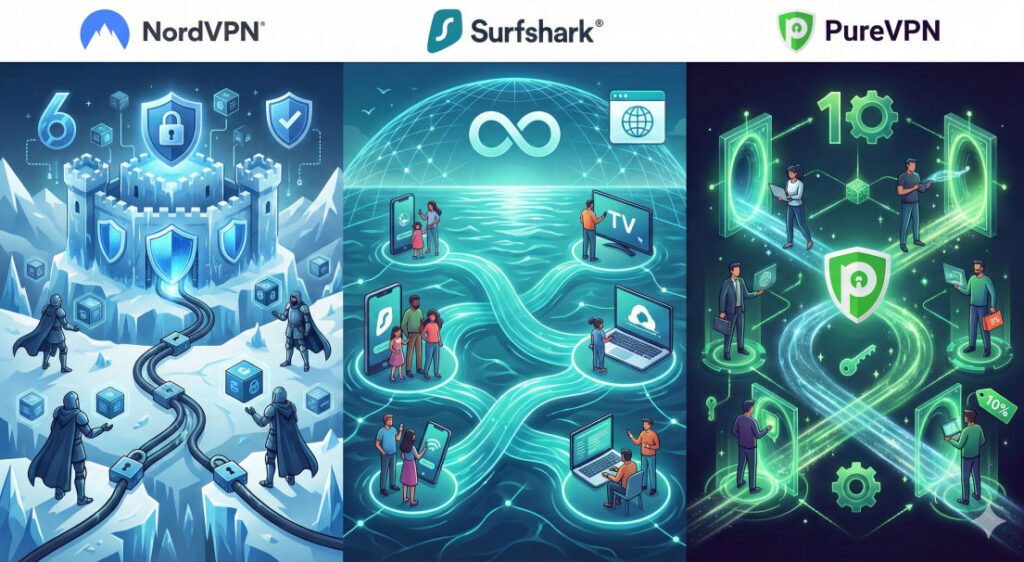
| Feature | Surfshark VPN | NordVPN | PureVPN |
| Simultaneous Connections | Unlimited | 10 Devices | 10 Devices |
| Headquarters | Netherlands (9-Eyes) | Panama (Privacy-haven) | British Virgin Islands |
| Post-Quantum Ready | Yes | Yes | Yes |
| Unique Highlight | Best for large families | Most advanced security | Affordable dedicated IPs |
| Server Network | 3,200+ (100 countries) | 6,000+ (110+ countries) | 6,500+ (70+ countries) |
❓ FAQ: 8 Common Questions
- Is Surfshark really unlimited? Yes, you can connect as many devices as you want on a single account simultaneously.
- Does Surfshark work with Netflix? Yes, it effectively unblocks international libraries including Netflix and Disney+.
- What is a Kill Switch? It’s a safety feature that cuts your internet if the VPN drops to prevent IP leaks.
- Is Surfshark safe? Yes, it uses AES-256 encryption and RAM-only servers that wipe data on reboot.
- Can I use it on my TV? Yes, via app for Smart TVs or by setting it up on your router.
- Does it have a trial? It offers a 30-day money-back guarantee if you are not satisfied.
- What is Alternative ID? A feature that creates a fake persona to keep your real info away from data brokers.
- Can it stop ads? Yes, the CleanWeb feature blocks ads, trackers, and malicious links.
💡 Beginner Tips for Families
- Protect Everyone: Since connections are unlimited, install the app on your grandparents’ and guests’ phones when they visit.
- Enable Strict Kill Switch: For maximum safety, set the Kill Switch to “Strict” mode in the settings.
- Set to Auto-Connect: Configure the app to start and connect automatically as soon as the device is powered on.
- Use CleanWeb for Kids: Always keep CleanWeb toggled on to reduce the chance of children seeing malicious ads.
- Mask Gaming IPs: Ensure your kids use the VPN while gaming to protect against “Doxing” or DDoS attacks.