🛡️ NordVPN Complete Guide: Features, Setup, Pricing, and Is It Right for Your Family?
1. Introduction 🌐
As the digital landscape evolves at an unprecedented pace, online privacy and cybersecurity have transitioned from niche technical concerns into fundamental necessities for households worldwide. In the modern era, the average family home functions as a complex digital hub. Parents require secure, uninterrupted connections for remote work, financial management, and confidential communications. Simultaneously, children engage with educational platforms, multiplayer gaming networks, and expansive social media ecosystems. Furthermore, the proliferation of connected smart home devices—ranging from smart televisions and voice assistants to internet-connected security cameras and thermostats—has exponentially expanded the typical household’s digital footprint.
This increased connectivity provides cybercriminals, data brokers, and tracking algorithms with numerous potential entry points to monitor behaviors, intercept sensitive data, and exploit network vulnerabilities. The risks associated with unprotected internet traffic are not merely theoretical. Internet service providers (ISPs) actively monitor and frequently monetize user browsing habits, compiling detailed profiles based on unencrypted DNS requests. Outside the home, the threat landscape is even more severe. Unsecured public Wi-Fi networks at coffee shops, airports, libraries, and hotels leave families, travelers, and remote workers exposed to sophisticated data interception techniques, such as packet sniffing and session hijacking.
Meanwhile, younger users face overlapping risks ranging from targeted cyberbullying and exposure to inappropriate content to highly deceptive phishing scams designed to steal login credentials. Mitigating these pervasive threats requires a comprehensive, network-level security solution that is robust enough to deter advanced cyber adversaries, yet intuitive enough for non-technical users to operate seamlessly on a daily basis. The Virtual Private Network (VPN) has emerged as the most effective foundational tool for consumer digital defense. A VPN serves as an encrypted digital tunnel between a user’s device and the broader internet, masking the user’s IP address, obscuring their physical location, and rendering intercepted data entirely unreadable to third parties.
Among the myriad of services available in the cybersecurity market, NordVPN stands out as one of the most widely recognized, extensively audited, and universally adopted platforms. Known for its aggressive technological innovation, vast global server infrastructure, and a suite of tools designed specifically for consumer protection, NordVPN has evolved from a simple IP-masking utility into a comprehensive digital security ecosystem. This research report provides an exhaustive, objective analysis of NordVPN, exploring its underlying technology, expansive feature set, installation procedures, and pricing structures to determine its efficacy as a primary privacy solution for families aiming to improve their online security.
2. What Is NordVPN? 🤔
NordVPN is a premium consumer Virtual Private Network service developed and maintained by Nord Security, operating under the corporate entity Tefincom S.A.. Its primary operational purpose is to secure internet traffic, bypass geographic content restrictions, and ensure user anonymity across various digital platforms and devices. By routing a user’s internet connection through a remote, encrypted server operated by the provider, NordVPN conceals the user’s true geographical location and shields their data payload from local network administrators, internet service providers, government surveillance programs, and malicious third parties.
To fully understand the service’s value proposition, it is necessary to examine its corporate background, legal jurisdiction, and the underlying technology stack that powers its infrastructure. A critical element of any VPN’s trustworthiness is the legal jurisdiction in which it is headquartered, as this determines the laws and data retention mandates the company must follow. NordVPN is strategically headquartered in the Republic of Panama. This is a deliberate operational choice, as Panama is widely recognized as a privacy-friendly jurisdiction that enforces no mandatory data retention laws for internet service providers or telecommunications companies.
Furthermore, Panama operates entirely outside the intelligence-sharing agreements known as the Five Eyes, Nine Eyes, and Fourteen Eyes alliances—international coalitions of nations that actively monitor, record, and share citizen surveillance data. This geopolitical positioning ensures that NordVPN cannot be legally compelled by foreign intelligence agencies to log, monitor, or surrender user data, cementing its corporate commitment to total digital anonymity. 🇵🇦
NordVPN’s technological infrastructure has matured significantly over the years to address emerging cyber threats and ensure maximum data sovereignty. The entire global server network operates on a diskless, RAM-only architecture. Traditional servers utilize hard disk drives to store configuration files and operational data, which creates a vulnerability if the physical server is seized by law enforcement, compromised by a hacker, or improperly decommissioned. RAM-only servers, by contrast, utilize volatile memory. This means that no user data, session logs, or software configurations are ever permanently stored on a physical drive. Whenever a server is rebooted, powered down, or physically tampered with, all data currently held in the volatile memory is instantly and irrevocably wiped, ensuring that no historical data can ever be recovered.
Looking toward the future of cybersecurity, NordVPN has proactively deployed a highly advanced technology stack to address the looming threat of quantum computing. Cyber espionage entities and state-sponsored hacking syndicates have increasingly adopted a “harvest now, decrypt later” strategy, actively stockpiling massive amounts of encrypted data in cold storage. They anticipate that future quantum computers will possess the processing power necessary to break current classical encryption algorithms. To combat this paradigm, NordVPN integrated Post-Quantum Cryptography (PQC) across the majority of its global server fleet by early 2026.
The service utilizes a sophisticated Hybrid Key Encapsulation Mechanism (KEM), layering the newly standardized ML-KEM (Kyber-1024) algorithm over traditional classical encryption (X25519). This dual-layer, belt-and-suspenders defense ensures that traffic intercepted today will remain mathematically impenetrable even decades into the future, effectively rendering any stockpiled data useless. Remarkably, NordVPN’s infrastructure optimizations have reduced the “Quantum Tax”—the processing overhead required for this advanced encryption—to less than 4%, allowing users to maintain post-quantum protection without sacrificing daily browsing speeds. 🛰️
3. Key Features of NordVPN 🔑
NordVPN justifies its dominant market position through a comprehensive suite of security features designed to operate seamlessly in the background. For non-technical readers and family administrators, understanding these features clarifies exactly how the service protects a household’s digital life without requiring advanced technical expertise.
Encryption Technology 🔐
Encryption is the mathematical process of scrambling readable data into an unreadable format, known as ciphertext, during transmission. NordVPN utilizes AES-256-GCM (Advanced Encryption Standard with a 256-bit key), which is universally recognized as the gold standard in cryptography and is currently utilized by governments, militaries, and financial institutions worldwide to secure classified information. The “256-bit” designation refers to the length of the encryption key; a 256-bit key offers a number of possible combinations so vast that it would take the world’s most powerful supercomputers billions of years to crack it through brute force. For bulk encryption and maximum speed efficiency—particularly across mobile devices and modern desktop processors—NordVPN also heavily utilizes the ChaCha20 cipher paired with the Poly1305 authenticator. This specific encryption combination forms the cryptographic backbone of NordLynx, NordVPN’s proprietary tunneling protocol. This encryption ensures that even if a hacker successfully intercepts a family’s Wi-Fi transmission, they will only see a randomized string of meaningless characters, keeping passwords, financial details, and personal communications secure.
Strict No-Logs Policy 🚫📝
A Virtual Private Network is only as trustworthy as its internal logging practices. If a VPN provider records user activity, that data can potentially be stolen by hackers, sold to advertisers, or subpoenaed by law enforcement. NordVPN adheres to a strict “no-logs” policy, explicitly stating that it does not track, collect, or share browsing history, connection timestamps, traffic destinations, or DNS queries. To definitively validate this claim and build trust with privacy-conscious users, NordVPN has subjected its internal infrastructure and software architecture to multiple independent, third-party audits by top-tier global accounting and security firms, including PricewaterhouseCoopers (PwC) and Deloitte. These exhaustive audits have consistently verified that NordVPN’s servers retain absolutely no identifiable user activity data, proving that the company honors its privacy promises in practice, not just on paper. Furthermore, transparency reports have shown that when NordVPN has received legal warrants for user data, it has only been able to provide basic account payment information, as no traffic logs exist to be surrendered.
Threat Protection Pro 🕵️♀️
Moving beyond traditional VPN capabilities, NordVPN includes Threat Protection Pro, an Al-native cybersecurity engine integrated directly into the application. Unlike simple DNS blockers that rely on static blacklists to prevent users from visiting known bad websites, Threat Protection Pro acts as a comprehensive, lightweight, cloud-integrated antivirus solution. It neutralizes threats before they can reach the user’s browser by actively scanning downloaded executable files for hidden malware and automatically deleting dangerous files before they can infect the device. Additionally, it analyzes webpage behavior in real-time to detect zero-day phishing exploits, strips intrusive tracking parameters from URLs to prevent cross-site profiling, and removes visual ad clutter for a cleaner browsing experience. Crucially, Threat Protection Pro functions at the operating system level, meaning it protects the device from malicious websites and malware downloads even when the primary VPN tunnel is turned off, acting as a persistent digital guardian for less tech-savvy family members.
Kill Switch 🛑
Internet connections can occasionally drop or fluctuate due to local network instability, router reboots, or cellular tower handoffs. If a VPN connection fails unexpectedly, a user’s device will automatically default to its standard, unencrypted ISP connection, instantly exposing their true IP address and current browsing activity to the network. To prevent this dangerous exposure, NordVPN features an Automatic Kill Switch. This mechanism acts as an uncompromising digital safety net; the moment the software detects a disruption in the encrypted VPN tunnel, it instantly severs the device’s internet connection entirely. Network traffic is only allowed to resume once the encrypted VPN tunnel is securely re-established. Users can also configure an app-level kill switch, which closes specific applications if the VPN drops, ensuring zero accidental data leakage during sensitive tasks.
Meshnet 🕸️
Meshnet is a highly innovative, decentralized networking feature that allows users to create their own secure, private local area network (LAN) over the internet by linking up to 10 of their own personal devices and up to 50 external devices directly. Instead of routing traffic through a remote NordVPN server, Meshnet creates encrypted, end-to-end tunnels directly between the user’s authorized devices using the high-speed NordLynx protocol. For families and non-technical users, this has highly practical everyday applications. A college student can securely access research files stored on the home desktop without requiring expensive cloud storage subscriptions, or siblings in different cities can link their computers to play multiplayer games—such as Minecraft or Palworld—as if they were sitting in the same room on a traditional LAN. Meshnet effectively bypasses Carrier-Grade NAT (CGNAT) restrictions, eliminating the need for complex router port-forwarding configurations.
Speed and Global Servers ⚡
Historically, Virtual Private Networks were notorious for severely reducing internet speeds due to the heavy mathematical load of real-time encryption and the physical distance to the routing servers. NordVPN has largely solved this historical limitation through its vast infrastructure and advanced protocol optimization. The service operates an immense network of over 8,900 servers distributed across more than 130 countries. The sheer volume of servers prevents network congestion during peak hours, while the widespread deployment of 10Gbps server hardware ensures sufficient bandwidth to handle data-heavy tasks like 4K streaming, large file downloads, and online gaming without buffering. Powered by the lightweight NordLynx protocol, independent performance testing indicates that NordVPN retains upwards of 85% to 90% of a user’s baseline internet speed on local connections, making the encryption process virtually imperceptible to the average family streaming movies or conducting video calls.
4. How NordVPN Protects Your Internet Traffic 🛡️
To fully appreciate the value of NordVPN for a family, one must understand the anatomy of modern cyber threats and precisely how VPN encryption neutralizes them in practice. When a user connects to the internet without a VPN, their device sends raw data packets through their local Wi-Fi router, through their Internet Service Provider’s infrastructure, and finally to the destination website’s server. During this transit, the data is entirely exposed to interception and monitoring. NordVPN alters this path by establishing a secure, encrypted tunnel from the device to the VPN server, ensuring that all data passing through the local network is indecipherable.
Defense Against Packet Sniffing 🧩
Packet sniffing is a common espionage technique where malicious actors use specialized software tools to capture, inspect, and log data packets traveling across a network. On unsecured public Wi-Fi networks—such as those commonly found in cafes, airports, hotels, and shopping malls—packet sniffing allows hackers to silently read unencrypted emails, intercept session cookies, and steal login credentials and credit card numbers in plain text. NordVPN’s AES-256 and ChaCha20 encryption scrambles every single data packet before it ever leaves the user’s device. If a hacker successfully sniffs the network and captures the family’s transmitted packets, they will only acquire a randomized, meaningless cryptographic puzzle. Because the hacker does not possess the unique decryption key securely negotiated between the device and the NordVPN server, the intercepted data is mathematically impossible to read, rendering packet sniffing attacks completely ineffective.
Neutralizing Man-in-the-Middle (MITM) Attacks 👤
A Man-in-the-Middle (MITM) attack occurs when a hacker secretly intercepts, monitors, and potentially alters communications between two parties who believe they are communicating directly with one another. Cybercriminals execute MITM attacks using various methods, such as ARP spoofing (tricking a local network into sending traffic to the hacker’s machine instead of the legitimate router) or by creating an “Evil Twin” Wi-Fi hotspot. An Evil Twin is a malicious Wi-Fi network disguised to look like a legitimate public network, such as a network named “Airport Free Wi-Fi” broadcasting in a terminal. When an unsuspecting user connects, the hacker acts as an invisible tollbooth, capturing all data as it passes through their rogue access point.
NordVPN effectively mitigates MITM attacks through two primary mechanisms: absolute payload encryption and rigorous cryptographic authentication. Even if a family member accidentally connects to a hacker’s Evil Twin Wi-Fi hotspot, the VPN immediately establishes a secure, encrypted tunnel straight through the hacker’s malicious infrastructure to the remote NordVPN server. The hacker can see that encrypted data is flowing through their access point, but the payload remains completely locked and unreadable. Furthermore, VPN protocols actively authenticate the identity of the server before exchanging any data, preventing attackers from successfully downgrading the connection (a technique known as SSL stripping) or maliciously redirecting the family’s DNS requests to fraudulent phishing websites disguised as legitimate banking or shopping portals.
5. How to Install and Use NordVPN (Step-by-Step) 📲
One of NordVPN’s primary market strengths is its accessibility. The service has engineered its applications across all major operating systems to be highly intuitive, allowing users with zero technical background to secure their devices in a matter of minutes. The setup process requires no manual network configuration.
- Step 1: Creating an Account: The process begins on the web. Navigate to the official NordVPN website using a secure browser. The user must select a subscription plan tier (Basic, Plus, Complete, or Prime) and a billing duration (such as a 1-Month, 1-Year, or 2-Year plan) that fits the family’s budget. Create the account by providing a valid email address and completing the secure payment process. Once the transaction is finalized, the account is active and ready to be deployed across the family’s devices. 💳
- Step 2: Downloading the App:
- For Windows and Mac: Log into the newly created account on the NordVPN website portal. Navigate to the “VPN Apps” section and click the download button corresponding to the computer’s operating system. This will download a standard installation executable (.exe file for Windows or a .pkg file for macOS) to the local downloads folder. Mac users also have the option to download the NordVPN IKEv2 version directly from the Mac App Store. 📥
- For Android and iPhone/iPad: Open the respective mobile application marketplace (the Google Play Store for Android devices or the Apple App Store for iOS devices). Search for “NordVPN” and tap the “Install” or “Get” button to download the application directly to the mobile device.
- Step 3: Installing the Software:
- Desktop Installation: Double-click the downloaded installer file on the computer. Follow the standard on-screen installation prompts. During this process, the operating system (both Windows and macOS) will display a security prompt asking for permission to allow the application to make network changes. The user must grant this permission, as it allows NordVPN to install the necessary virtual network adapters required to route traffic through the encrypted tunnel. ✅
- Mobile Installation: Once the app is downloaded from the store, open it and sign in using the newly created account credentials. Upon the very first attempt to connect to a VPN server, both the Android and iOS operating systems will present a high-level system prompt requesting permission to “Add VPN Configurations”. The user must authorize this prompt—which often requires verifying identity via a PIN, FaceID, or TouchID—to allow the mobile OS to securely route internet traffic through the NordVPN application.
- Step 4: Connecting to a VPN Server: Upon successfully opening the application and logging in, the user is presented with a highly visual, interactive world map alongside a comprehensive list of available countries.
- To secure the connection immediately with zero guesswork, the user simply clicks or taps the prominent “Quick Connect” button. NordVPN’s proprietary algorithm will automatically evaluate server load, physical distance, and network latency to select and connect to the fastest, most stable server available at that exact moment. 🌍
- To browse from a specific geographic location—such as to access regional content while traveling or bypass a local sports blackout—the user can scroll through the country list or interact with the map to click on the desired nation. The interface will instantly establish a connection, granting the device an IP address from that specific region.
- Step 5: Basic Recommended Settings for Maximum Security: While the default settings are robust, families should navigate to the app’s “Settings” menu (usually represented by a gear icon) to ensure maximum protection:
- Protocol Selection: Set the VPN Protocol to NordLynx (or WireGuard). This ensures the device utilizes modern ChaCha20 encryption, providing the fastest possible speeds while maximizing battery life on mobile devices. ⚙️
- Kill Switch: Ensure the Internet Kill Switch is toggled to the “ON” position. This guarantees that if the VPN connection drops momentarily, the device will not leak unencrypted data onto the local network.
- Threat Protection: Enable Threat Protection Pro (available on desktop applications) to ensure continuous background scanning for malware downloads, intrusive ad blocking, and real-time phishing prevention.
6. Who Should Use NordVPN? 👥
NordVPN’s highly versatile feature set caters to a wide spectrum of internet users, making it exceptionally adaptable to varying digital lifestyles and specific security requirements.
- Families Protecting Multiple Devices: Modern households possess an expansive array of internet-connected hardware. NordVPN is highly advantageous for this demographic because a single subscription account allows for up to 10 simultaneous device connections. This generous allowance means a parent can secure their remote work laptop and primary smartphone, while simultaneously protecting a teenager’s mobile device, a shared family tablet, and a smart TV, all without requiring multiple overlapping, expensive subscriptions. Furthermore, features like Threat Protection Pro actively shield younger, less experienced users from accidentally clicking malicious phishing links or downloading disguised malware, acting as a persistent, passive digital guardian for the household. 👨👩👧👦
- Remote Workers and Professionals: For individuals handling sensitive corporate data, client communications, or intellectual property from a home office, relying on consumer-grade ISP routing is a major security liability. NordVPN’s AES-256 encryption thoroughly secures remote workflows, ensuring that confidential emails and proprietary file transfers cannot be intercepted by bad actors. Additionally, the Meshnet feature provides immense value for remote workers, allowing secure, direct, encrypted access to office hardware or central home servers from remote locations without the complexities and security risks of opening ports on a router. 💼
- Travelers and Public Wi-Fi Users: Whether commuting on a local train, attending a conference, sitting in a hotel lobby, or working from a neighborhood cafe, frequent travelers are among the most frequent victims of public Wi-Fi exploitation. NordVPN encrypts data payloads regardless of the underlying public network’s security posture, rendering the user immune to local packet sniffing. Furthermore, travelers can utilize NordVPN to connect back to servers in their home country, allowing them to bypass geographic restrictions to access localized banking applications, domestic news portals, and home streaming libraries that are otherwise blocked by foreign internet providers. ✈️
- Privacy-Conscious Individuals: For users deeply concerned about government surveillance, aggressive corporate data brokering, or persistent ISP tracking, NordVPN offers specialized privacy tools designed for absolute anonymity. The company’s Panama jurisdiction ensures freedom from international data retention mandates. Furthermore, privacy purists can utilize specialized servers such as Double VPN, which routes internet traffic through two separate encrypted servers in different countries, wrapping the data in two layers of AES-256 encryption. Alternatively, users can connect to Onion Over VPN servers, which route traffic through the highly encrypted, decentralized Tor network, making digital footprint tracking and IP identification virtually impossible. 🧅
7. Pros and Cons of NordVPN ⚖️
To provide a truly objective analysis suitable for a professional research guide, it is necessary to weigh NordVPN’s industry-leading advantages against its minor operational drawbacks and limitations.
| Feature Category | Advantages (Pros) | Limitations (Cons) |
|---|---|---|
| Performance & Speed | Industry-leading connection speeds powered by the proprietary NordLynx (WireGuard) protocol, retaining approximately 85% to 90% of baseline network speed during local connections. |
| Utilizing advanced privacy features like Double VPN or Onion over VPN inherently slows down connection speeds due to the overhead of multiple layers of routing and encryption.
|
| Security & Privacy | Operates a verified, strict no-logs policy backed by multiple independent third-party audits. Implementation of Post-Quantum Cryptography ensures future-proof data security against sophisticated state actors.
| The native Linux application currently lacks a graphical user interface (GUI), requiring Linux users to operate the software entirely via command-line interface (CLI) inputs.
|
| Server Network | Operates a massive global infrastructure of 8,900+ servers spanning 130 countries, ensuring low latency connections and highly reliable geo-unblocking capabilities.
| Some specialized servers (such as Double VPN or Obfuscated servers) are restricted to specific geographic locations, offering fewer country choices than the standard server fleet.
|
| Extra Features | Includes exceptionally high-value cybersecurity tools like Threat Protection Pro (advanced malware blocking) and Meshnet (LAN routing) seamlessly integrated at no extra base cost.
| The most advanced aspects of Threat Protection Pro (specifically file-level malware scanning and vulnerability checks) are currently limited to Windows and macOS operating environments.
|
| Device Limits | Offers a generous allowance of 10 simultaneous active connections per account, which is sufficient to cover the smartphones, tablets, and computers of most modern households.
| Some budget-focused competitors (such as Surfshark and Private Internet Access) offer unlimited simultaneous connections, making NordVPN’s 10-device cap a slight disadvantage for massive households.
|
8. NordVPN Pricing and Plans 💰
NordVPN employs a highly structured, tiered pricing strategy that heavily rewards users for long-term commitments. As of 2026, the service is structured into four distinct subscription tiers: Basic, Plus, Complete, and Prime. Each of these tiers can be purchased on a Monthly, 1-Year, or 2-Year billing cycle. Understanding what each tier includes is critical for families determining which level of cybersecurity investment is necessary for their specific needs.
Subscription Tiers Explained
- NordVPN Basic: This is the foundational, entry-level tier. It includes the core high-speed VPN service, secure encryption protocols, access to the entire global network of 8,900+ servers, multi-device support for 10 connections, and the standard version of Threat Protection, which provides essential ad and tracker blocking.
- NordVPN Plus: Billed by the company as the most popular and best-value option, this tier adds two critical features. First, it upgrades the security to Threat Protection Pro, introducing active malware and downloaded file scanning. Second, it includes NordPass, a highly secure, cross-platform password manager that stores, organizes, and auto-fills login credentials, dramatically improving family password hygiene.
- NordVPN Complete: This comprehensive tier includes everything in the Plus plan and adds NordLocker. NordLocker provides users with 1 Terabyte of military-grade, end-to-end encrypted cloud storage, providing a highly secure vault for storing sensitive family documents, financial records, and personal photos away from public cloud vulnerabilities.
- NordVPN Prime (US and Select Regions): The premium tier transforms the Nord software into an exhaustive cybersecurity and identity defense suite. It includes NordProtect, an identity theft protection service that offers continuous dark web monitoring, credit score tracking, and up to $1 million in identity theft recovery and cyber extortion insurance. In regions where the insurance elements of NordProtect are legally unavailable, the Prime equivalent typically includes Incogni, an automated data removal service that forces data brokers to delete the user’s personal information from public databases.
Estimated Pricing Overview
While exact pricing fluctuates slightly based on regional taxes and specific promotional timing, the standard pricing structure for a 2-Year Plan generally breaks down as follows (prices reflect average monthly equivalents, though they are billed entirely upfront for the 24-month period):
| Subscription Tier | 2-Year Plan (Best Value) | 1-Year Plan | 1-Month Plan (Rolling) |
|---|---|---|---|
| NordVPN Basic | ~$3.39 per month | ~$4.99 per month | ~$12.99 per month |
| NordVPN Plus | ~$3.89 per month | ~$5.49 per month | ~$15.29 per month |
| NordVPN Complete | ~$5.39 per month | ~$6.99 per month | ~$18.69 per month |
| NordVPN Prime | ~$7.39 per month | ~$8.99 per month | ~$25.29 per month |
As the data clearly illustrates, choosing a rolling 1-Month Plan is significantly more expensive and offers no long-term financial efficiency, making it suitable only for users who need a VPN for a brief, specific trip.
9. How to Get NordVPN at the Best Price 📉
For families operating on a strict household budget, navigating complex VPN pricing structures requires strategic purchasing. The cost of comprehensive digital privacy can be drastically minimized by utilizing the following proven strategies:
- Commit to Long-Term Plans: The single most critical factor in securing the best VPN pricing is the length of the subscription commitment. Providers heavily discount multi-year plans to reduce customer churn and guarantee long-term users. While paying month-to-month for the NordVPN Basic tier costs roughly $155 annually, committing to a 2-year plan reduces the average monthly cost by over 70%, bringing the equivalent monthly price down to roughly the cost of a cup of coffee. Although the 2-year term requires an upfront payment of roughly $81, it remains the most economical long-term strategy. Importantly, all plans include a strict, risk-free 30-day money-back guarantee, allowing families to claim a full refund if the service does not meet their technical expectations. 💸
- Capitalize on Seasonal Promotions and Bundle Offers: VPN providers are known in the industry for their aggressive seasonal marketing campaigns. Consumers looking for the absolute best possible value should actively time their purchases around major retail holidays. During Black Friday, Cyber Monday, and late-winter corporate anniversary sales, NordVPN frequently drops baseline prices even further. Furthermore, during these promotional windows, the company often includes extra months of service for free (e.g., offering 27 months for the price of 24) or bundles long-term subscriptions with high-value digital gift cards, such as $20 to $50 Amazon vouchers, which effectively subsidizes the upfront cost of the VPN. 🎁
- Manage Auto-Renewal Rates to Avoid Price Spikes: A vital financial consideration that many consumers overlook is the auto-renewal mechanism. The highly discounted rates advertised on the website are specifically designed as introductory prices intended solely for new customers. When a 1-year or 2-year plan concludes, it traditionally auto-renews at the standard, non-discounted annual rate. For example, a highly discounted $81 introductory 2-year plan may renew at approximately $139 per year once the initial term expires. Consumers are strongly advised to log into their account management portal immediately after the initial purchase and disable the auto-renewal feature. This simple administrative step prevents unexpected billing spikes down the line and allows the user to manually hunt for a new promotional rate when their term ends. 🛑
10. Getting Started with NordVPN for Families 👨👩👧👦
Securing a modern household requires a fundamentally different logistical approach than simply securing a single laptop or smartphone. While NordVPN generously allows for 10 simultaneous device connections via its native applications, a contemporary family home often contains dozens of internet-connected endpoints. Smart TVs, gaming consoles (such as PlayStation, Xbox, and Nintendo Switch), loT thermostats, and home security cameras cannot directly install traditional VPN applications because they lack the necessary operating systems to run the software.
The Router Solution: Securing the Network Chokepoint 📟
To successfully bypass the 10-device limit and protect vulnerable hardware that lacks native application support, families can install NordVPN directly onto their home Wi-Fi router. This strategy secures the network at its physical source. By establishing the encrypted VPN tunnel at the router level, every single device that connects to the home Wi-Fi network—whether it is a guest’s smartphone or a smart refrigerator—is automatically routed through the secure NordVPN tunnel without requiring any individual software installation. Crucially, configuring a router in this manner counts as only one of the 10 allotted simultaneous connections on the NordVPN account, leaving nine connection slots fully available for family members to use on their mobile phones and laptops when they leave the house and connect to cellular data or public Wi-Fi.
How to Set Up a VPN on a Home Router
Installing a VPN on a router requires slightly more technical engagement than installing a standard desktop application, but it is a manageable, one-time configuration process. The conceptual steps for achieving this network-wide security are as follows:
- Verify Hardware Compatibility: The family router must support the “OpenVPN Client” feature. Standard, locked-down routers provided directly by local ISPs (such as a standard Comcast or AT&T gateway) generally do not support this functionality. Families will likely need to purchase a compatible third-party router (such as specific models from ASUS or TP-Link) or utilize a router flashed with open-source firmware like DD-WRT or OpenWrt.
- Access the Router Administration Panel: The user must open a web browser and type the router’s local IP address (usually 192.168.1.1 or 192.168.0.1) into the address bar to access the control panel. They then log in using the router’s administrator credentials.
- Obtain OpenVPN Configuration Files: The user logs into their Nord Account portal on the web. Navigating to the “Manual Setup” section, the user downloads a specific .ovpn configuration file. It is recommended to download a configuration file for a server physically close to the home to ensure the lowest latency and highest speeds. ⚙️
- Upload and Configure: Returning to the router’s interface, the user navigates to the “VPN Client” or “OpenVPN” tab and uploads the downloaded .ovpn configuration file.
- Enter Service Credentials: To authenticate the connection, the user must input their unique “Service Credentials”. These are a specialized, highly secure username and password combination found deep within the NordVPN account dashboard, completely distinct from the standard email and password used to log into the website. 🔑
- Activate the Tunnel: The user saves the configuration settings and clicks “Activate” or “Enable”. The router will establish the connection to the NordVPN server, and all home traffic will instantly become fully encrypted.
Pre-Configured Routers for Non-Technical Users 🔌
For families seeking a frictionless, “plug-and-play” experience without the stress of manual firmware configuration, third-party vendors specialize in out-of-the-box solutions. Companies like FlashRouters sell high-performance hardware (such as the Privacy Hero router or advanced ASUS mesh systems) that arrive with NordVPN natively integrated. These pre-configured devices require minimal setup and are often optimized for the blazing-fast NordLynx protocol, providing whole-home encryption seamlessly.
11. Optional Learning Resources 📚
For users and parents transitioning into a proactive cybersecurity mindset, ongoing education is just as critical as the software itself. The internet features vast, highly accessible repositories of digital hygiene materials designed to demystify complex networking concepts. Various tech publications, video hosting platforms, and corporate cybersecurity hubs offer free guides, visual tutorials, and step-by-step demonstrations showcasing exactly how VPNs deflect complex network attacks and tracking algorithms. Furthermore, specialized educational platforms like VPN-for-Family offer tailored tutorials, real-world security demonstrations, and highly practical deployment guides specifically engineered to help beginners understand how VPN protection operates in day-to-day household scenarios. Utilizing these targeted resources can transform an intimidating technical setup process into a streamlined, empowering educational experience for family administrators, ensuring that the software is utilized to its maximum defensive potential.
12. Final Verdict 🏆
The internet of 2026 is a highly complex digital ecosystem fraught with automated data harvesting, intrusive corporate surveillance, and active cyber threats. Addressing these pervasive vulnerabilities requires a comprehensive security solution that does not compromise device performance, throttle streaming bandwidth, or demand a degree in computer science to operate on a daily basis.
The extensive research and analysis indicate that NordVPN stands as an exceptionally robust, reliable, and user-friendly solution for families seeking to elevate their online privacy. Its steady transition from a simple IP-tunneling service into a comprehensive, multi-faceted cybersecurity suite is highly commendable. The integration of advanced features—specifically the Al-driven Threat Protection Pro to combat malware at the point of download, and the forward-thinking deployment of Post-Quantum Cryptography to future-proof intercepted data—demonstrates a proactive corporate approach to evolving digital dangers.
Meanwhile, the immense global network of 8,900+ servers and the high-speed NordLynx protocol guarantee that households can stream high-definition content, play competitive games, and browse seamlessly without experiencing the suffocating latency traditionally associated with heavy network encryption. While its 10-device limit falls slightly short of the unlimited simultaneous connections offered by a select few budget competitors, this constraint is easily circumvented through a one-time router installation, which effectively protects the entire home under a single connection slot.
When factoring in its rigorous, repeatedly audited no-logs policy, highly intuitive application design across all major platforms, and highly competitive long-term pricing structures, NordVPN unequivocally justifies its position as a premier digital bodyguard. For families intent on reclaiming their digital anonymity, bypassing restrictive regional censorship, protecting children from intrusive tracking, and securing their local networks from bad actors, NordVPN is an essential investment that yields immediate, tangible, and lasting security dividends.
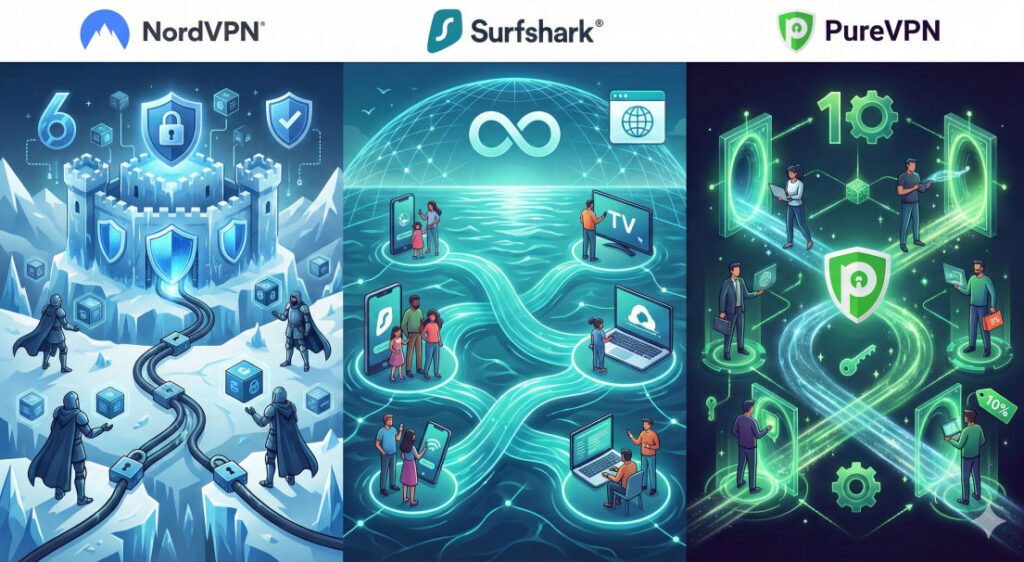
📊 Comparison Table: NordVPN vs. Others
| Feature | NordVPN | Surfshark | PureVPN |
|---|---|---|---|
| Jurisdiction | Panama |
| Netherlands
| British Virgin Islands |
| Server Count | 8,900+
| 3,200+
| 6,000+ |
| Device Limit | 10
|
Unlimited
| 10 |
| Protocols | NordLynx (WireGuard)
| WireGuard | WireGuard, OpenVPN |
| Quantum Security | Post-Quantum Cryptography
| Limited | Quantum-Resistant |
| Special Features | Meshnet, Threat Protection Pro
| Dynamic Multi-Hop | Dedicated IP |
❓ FAQ Section: 8 Common Questions
- Is NordVPN legal to use? Yes, VPNs are legal in the vast majority of countries. However, using a VPN to conduct illegal activities remains illegal.
- Does NordVPN work for Netflix? Yes, it is highly effective at bypassing geo-restrictions to access localized streaming libraries worldwide.
- Will it slow down my gaming? With NordLynx and 10Gbps servers, the speed loss is typically only 10% to 15%, making it ideal for online gaming.
- How many devices can I connect? One account supports up to 10 simultaneous connections.
- Is the “no-logs” policy real? Yes, it has been verified through multiple independent audits by PwC and Deloitte.
- Does it work on Smart TVs? Yes, via native apps for Android TV and Fire Stick, or by setting it up on your home router.
- What happens if the VPN disconnects? The Automatic Kill Switch instantly cuts your internet to prevent data leaks.
- Can I get a refund if I don’t like it? Yes, NordVPN offers a risk-free 30-day money-back guarantee on all plans.
💡 Beginner Tips for Families
- Install on the Router: If you have more than 10 devices (Smart bulbs, cameras, consoles), set the VPN up on your router to protect the entire house under one connection slot.
- Enable Threat Protection Pro: This acts as a silent antivirus. Keep it “ON” to protect children from malware and phishing links automatically.
- Use Meshnet for File Sharing: Instead of using unsecured cloud links, use Meshnet to send photos or documents directly between family devices.
- Turn on Auto-Connect: Set the mobile apps to “Auto-Connect” on untrusted Wi-Fi so your family is protected the second they step into a coffee shop or airport.
- Manage Passwords with NordPass: If you choose the Plus plan, use the included password manager to ensure everyone has strong, unique credentials for school and social accounts.