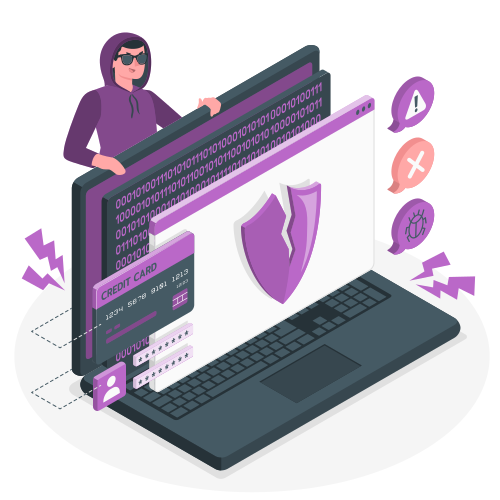
The internet has become an integral part of our daily lives, connecting us to a world of information, entertainment, and social interaction. However, as we embrace the digital age, it’s crucial to be aware of the potential dangers that lurk online, especially for families with children. In this article, we’ll explore five common internet threats and provide practical tips on how to protect your family’s online privacy and security.
- Public WiFi Risks Picture this: you’re at a café, airport, or library, and you connect to the free public WiFi to check your email or browse social media. While this may seem harmless, public WiFi networks are often unsecured, meaning that anyone on the same network can potentially intercept your data. Hackers can set up fake WiFi hotspots to trick unsuspecting users into connecting, allowing them to steal sensitive information like login credentials, financial details, and personal messages.
To protect your family when using public WiFi, consider the following tips:
- Avoid accessing sensitive websites (e.g., online banking) on public networks
- Use a Virtual Private Network (VPN) to encrypt your internet connection
- Disable automatic WiFi connections on your devices
- Stick to websites with “https” in the URL, indicating a secure connection
- Data Tracking Have you ever noticed that after searching for a product online, you start seeing ads for that same product on different websites? This is a result of data tracking, where companies monitor your online behavior to create detailed user profiles. While targeted advertising may seem convenient, it raises concerns about privacy and the extent to which our personal information is being collected and shared.
To minimize data tracking, try these tips:
- Use privacy-focused web browsers like Brave or DuckDuckGo
- Install ad-blocking extensions to limit tracking cookies
- Opt-out of personalized ads in your browser and social media settings
- Use a VPN to mask your IP address and location
- Phishing Scams Phishing is a common tactic used by cybercriminals to trick people into revealing sensitive information. It typically involves receiving an email or message that appears to be from a legitimate source, such as a bank or social media platform, asking you to click on a link and enter your login details. However, the link leads to a fake website designed to steal your information.
To protect your family from phishing scams, remember these tips:
- Be cautious of unsolicited emails or messages, especially those creating a sense of urgency
- Check the sender’s email address for irregularities
- Hover over links before clicking to see the actual URL
- Instead of clicking on links, manually type the website address in your browser
- Enable two-factor authentication on important accounts
- Malware Threats Malware, short for malicious software, is any program designed to harm or exploit your device and data. It can take many forms, such as viruses, trojans, ransomware, and spyware. Malware can infect your devices through various methods, including downloading suspicious email attachments, clicking on malicious links, or installing pirated software.
To safeguard your family against malware, follow these tips:
- Keep your operating system and software up to date with the latest security patches
- Use reputable antivirus and anti-malware software
- Avoid downloading attachments from unknown sources
- Be cautious when installing browser extensions or software from untrusted websites
- Regularly back up your important data to an external hard drive or cloud storage
- Identity Theft Identity theft occurs when someone steals your personal information, such as your name, social security number, or credit card details, to commit fraud or other crimes. With the increasing amount of personal data shared online, identity theft has become a growing concern for families.
To protect your family from identity theft, consider these tips:
- Be cautious about sharing personal information online, especially on social media
- Use strong, unique passwords for each online account
- Enable privacy settings on social media platforms to limit who can see your posts
- Monitor your credit reports regularly for suspicious activity
- Consider using an identity theft protection service
Protecting Your Family with VPNs One effective tool for enhancing your family’s online privacy and security is a Virtual Private Network (VPN). A VPN creates a secure, encrypted tunnel between your device and the internet, making it much harder for hackers, data trackers, and other prying eyes to intercept your online activities.
When choosing a VPN for your family, look for one that offers:
- Strong encryption protocols to protect your data
- A strict no-logging policy to ensure your browsing history remains private
- User-friendly apps for all your devices (computers, smartphones, tablets)
- Fast connection speeds for smooth browsing and streaming
- Reliable customer support to assist with any technical issues
By using a VPN, you can help protect your family’s online privacy, secure your internet connection, and access content that may be restricted in your region.
Conclusion The internet is a powerful tool that has transformed the way we live, work, and communicate. However, it’s essential to be aware of the potential dangers that come with our increasingly connected world. By understanding the risks of public WiFi, data tracking, phishing scams, malware threats, and identity theft, you can take proactive steps to protect your family’s online safety.
Remember to educate your family members, especially children, about these internet dangers and the importance of maintaining good online hygiene. By staying informed, using the right tools, and adopting best practices, you can help create a safer and more secure online experience for your loved ones.